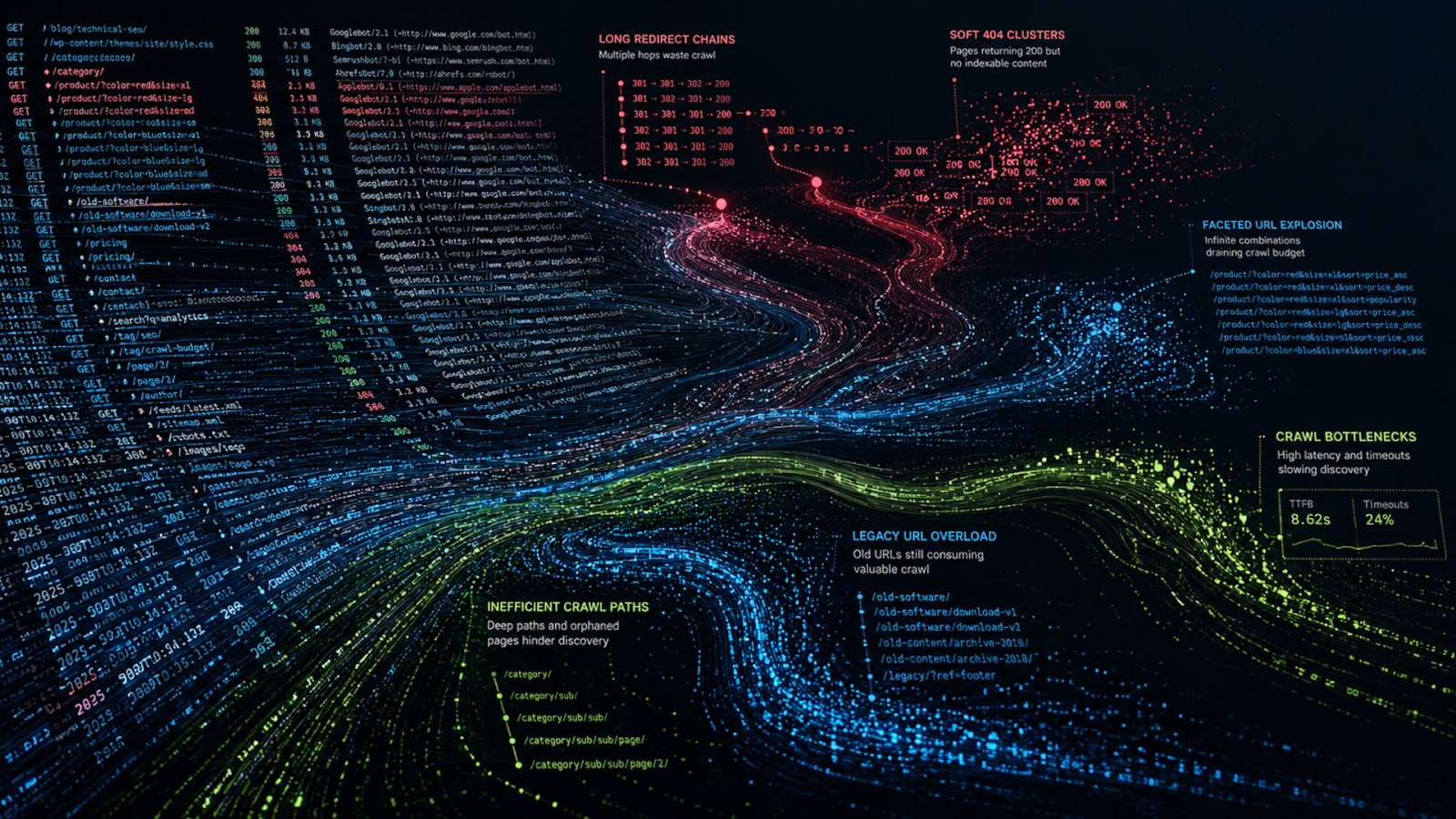
For large websites, server logs often reveal technical SEO problems long before rankings decline. They show how search engines crawl your site, where crawl budget gets wasted, how quickly servers respond, and whether important pages remain accessible.
Unlike Google Search Console, analytics platforms, and third-party crawlers, server logs capture every request search engines make to your infrastructure.
Yet many organizations never analyze them — missing one of the most valuable sources of technical SEO data available.
Many SEO teams rely on Google Search Console, Bing Webmaster Tools, third-party crawlers, and analytics platforms. Those tools help, but they all rely on data samples, delayed reporting, or simulated crawls.
Server logs capture direct interactions between crawlers and infrastructure. That distinction matters on websites with hundreds of thousands or millions of URLs.
A log file records every request processed by a server. For SEO purposes, the most useful entries come from crawlers such as Googlebot, Bingbot, GPTBot, Applebot, and other verified search engine bots.
Each request generates operational data, including the requested URL, response code, timestamp, user agent, and response timing. Over time, those records form a detailed crawl history.
Your customers search everywhere. Make sure your brand shows up.
The SEO toolkit you know, plus the AI visibility data you need.
Start Free Trial
Get started with

Hidden SEO issues in crawl data
Most technical SEO issues begin as crawl inefficiencies that gradually compound over time. A search engine crawler may:
- Request a page and receive an unexpected response.
- Encounter a category section that slows under heavy load.
- Follow redirect chains that expanded after a deployment.
In other cases, product pages disappear from inventory while still returning a 200 status code. These problems rarely occur as isolated incidents.
Search engines encounter them repeatedly across thousands or millions of crawl requests, creating patterns that can quietly erode crawl efficiency, indexing, and visibility.
Server logs expose those patterns clearly.
- On large ecommerce platforms, logs often show crawlers spending excessive time on filtered navigation URLs while strategic product pages receive limited recrawling.
- On publisher websites, crawlers sometimes revisit outdated archive paths more aggressively than newly updated content.
- SaaS platforms frequently expose staging environments or parameter-driven duplicate URLs through internal systems without realizing how heavily those URLs consume crawl activity.
Without logs, those problems remain hidden behind aggregate reporting.
Server logs also provide historical visibility. Unlike Google Search Console data, which expires over time, retained logs reveal crawl trends tied to migrations, infrastructure changes, indexing shifts, and platform redesigns.
Where crawl resources go
Search engines don’t crawl every page equally. Large websites compete internally for crawl attention.
Search engines allocate resources based on perceived importance, internal linking, infrastructure quality, content freshness, and historical performance. Logs reveal those crawl decisions directly.
A retailer with five million URLs may assume high-value category pages receive regular crawling because they appear in XML sitemaps and navigation systems. Log file analysis may show Googlebot spending a disproportionate share of crawl resources on parameterized URLs created through faceted filtering instead.
Another site may discover crawlers revisiting redirected legacy URLs years after a migration. These situations are common because search engines work from observed behavior rather than internal assumptions.
Server logs also help identify sources of crawl waste that quietly consume large portions of crawl activity. Common examples include:
- Infinite URL combinations.
- Session parameters.
- Crawlable internal search pages.
- Open faceted navigation systems.
- Duplicate mobile URLs.
- Exposed staging environments.
- Broken canonical structures.
As web platforms expand over time, crawl efficiency increasingly becomes an infrastructure challenge as much as a traditional SEO problem.
When infrastructure limits crawling
Response timing data is among the most valuable information in server logs. Search engines monitor how efficiently servers respond during crawling. Slow or unstable infrastructure affects how aggressively crawlers move through a site.
A difference between 300 milliseconds and 3 seconds may appear minor on a single request, but across hundreds of thousands of crawler requests, the impact becomes substantial. Response timing analysis helps isolate infrastructure bottlenecks under real crawl conditions and exposes performance issues that traditional SEO tools often miss.
In production environments, these patterns appear frequently. Product pages may bypass cache layers and generate database-heavy responses, image optimization services can slow down media crawlers, and API-driven templates often create inconsistent latency during crawl spikes. JavaScript rendering systems may delay crawler access to content, while regional CDN routing can introduce performance issues in specific markets.
Synthetic monitoring tools often miss these patterns because simulated testing doesn’t fully replicate crawler behavior. Logs capture what crawlers experience at the request level. Timing analysis also helps separate isolated incidents from persistent operational issues.
A temporary deployment issue differs from a structural bottleneck. Logs reveal the difference through historical request patterns.
Search engines, particularly Google, tend to reward reliable infrastructure with more consistent crawling. Fast, stable responses support efficient crawl allocation and improve recrawl frequency on important pages.
On enterprise systems, response timing analysis frequently influences infrastructure planning beyond SEO. Operations teams use log data to prioritize cache improvements, CDN adjustments, scaling decisions, and deployment scheduling.
Get the newsletter search marketers rely on.
Soft 404s at scale
Soft 404s remain one of the most overlooked yet highly consequential SEO issues for large online brands. Unlike a standard 404 page, which correctly returns an HTTP 404 status code, a soft 404 returns a 200 OK response while serving thin, empty, or functionally useless content.
To search engines, these pages appear crawlable and indexable despite offering little or no value, which can quietly waste crawl budget and dilute overall site quality signals.
Common soft 404 examples include:
- Out-of-stock product pages that remain live without meaningful replacement content.
- Empty category templates created through faceted navigation.
- Broken internal search result pages.
- Placeholder inventory URLs with little usable information.
- Expired listings that still return a 200 OK status code.
Failed rendering can create similar issues when JavaScript content doesn’t fully load for crawlers. On large web platforms, these low-value pages often accumulate quickly and consume significant crawl activity without contributing meaningful search visibility.
Search engines eventually classify many of these pages as low quality. The issue becomes operational when crawlers continue revisiting those URLs repeatedly. Document size analysis within logs provides one way to identify potential soft 404 patterns at scale.
Landing pages with nearly identical response sizes can sometimes indicate templated low-value responses. A group of 60,000 product URLs all returning responses smaller than 100 bytes after inventory expiration usually points toward placeholder templates rather than meaningful content.
Internal search systems create another common example. Empty search result pages often generate highly consistent response sizes because the template loads correctly while no actual content appears.
Response codes alone rarely expose the full pattern of crawl behavior. A clearer operational picture emerges when HTTP status codes are analyzed alongside response sizes, crawl frequency, and URL patterns. Together, these signals reveal how search engines interact with different sections of a web platform and where crawl inefficiencies begin to accumulate.
Large publishers, such as news websites, also encounter soft 404 issues through broken pagination systems or empty archive states.
SaaS platforms sometimes expose onboarding placeholders through crawlable public URLs.
Marketplace websites frequently generate thin pages for inactive listings while still returning successful responses. Document size analysis helps identify these patterns quickly across large datasets.
The case for log retention
Short log retention periods limit the quality of server log analysis. Many crawl patterns develop gradually, with search engines adjusting crawl allocation over weeks or months rather than days.
Historical log data reveals long-term shifts in crawl behavior, including:
- Changes in crawl frequency.
- Legacy URL activity.
- Migration effects.
- Infrastructure instability.
- Seasonal crawl patterns.
- Redirect persistence.
- Broader crawl budget fluctuations.
For large websites, six to 36 months of logs often provide meaningful operational history.
Historical data is especially valuable during migrations. Teams compare crawler behavior before and after structural changes to determine whether important sections gained or lost crawl visibility. Without retained logs, those comparisons disappear permanently.
Many organizations still overwrite logs quickly or don’t retain them at all. Once lost, historical crawl data can’t be reconstructed later.
Separating search crawlers from bot noise
Raw server logs contain large volumes of automated traffic unrelated to SEO. Many bots impersonate Googlebot or Bingbot, making accurate filtering essential before meaningful analysis can begin. Effective validation typically combines user agent analysis, reverse DNS checks, and trusted IP verification to separate legitimate crawlers from scrapers, monitoring systems, and malicious automation.
Once filtered correctly, server logs reveal clear behavioral differences between crawler types, including Googlebot Smartphone, Googlebot Image, Bingbot, Applebot, AdsBot, and newer AI-oriented crawlers. Each interacts with web platforms differently, creating distinct crawl patterns, resource demands, and indexing behavior.
Image crawlers place heavier demands on media infrastructure. Mobile crawlers focus more heavily on rendering consistency. AI-focused crawlers often revisit large archive sections repeatedly.
Crawler segmentation helps technical teams prioritize infrastructure improvements based on actual crawl demand rather than assumptions.
Monitoring migrations with log data
Migrations are one of the highest-risk periods in technical SEO, as even well-tested launches can introduce crawl instability.
Server logs provide direct visibility into how search engines respond after deployment, including which redirects crawlers continue to follow, whether redirect chains form, which legacy URLs remain active, and where 404 spikes occur.
Logs also reveal how crawl allocation shifts across the platform, whether response times begin to deteriorate, and which sections search engines continue to prioritize after the migration goes live.
A migration may appear successful during browser testing while crawlers encounter entirely different behavior through caching systems, CDN routing, or redirect logic.
Large ecommerce migrations often reveal persistent crawl activity on old URL structures weeks or months after launch. International platforms sometimes discover regional redirect inconsistencies affecting only certain crawlers. Logs expose those failures early enough to correct them.
Collecting the right log data
Useful log analysis depends on complete records. At a minimum, logs should include:
- Remote IP address, including originating IP and optional (X-)Forwarded-For information.
- User agent string.
- Request protocol, such as HTTP, HTTPS, or WSS.
- Request hostname.
- Request path.
- Request parameters.
- Request time, including date, time, and time zone.
- Request method.
- Response HTTP status code.
- Response timings.
These fields create the operational baseline required for meaningful crawl analysis.
Hostname and protocol fields often receive less attention than they deserve. Missing these values creates blind spots on multilingual websites, subdomain-heavy platforms, and CDN-driven architectures.
Many organizations simplify analysis by storing the full request URL as a normalized field containing protocol, hostname, path, and parameters.
Additional fields can further improve analysis quality:
- Response byte size.
- Cache status.
- Referrer.
- CDN edge location.
- Upstream timing.
- Compression type.
Response size data becomes especially valuable during soft 404 investigations and duplicate content analysis.
Why logs remain underused
Server logs often fall between departments. Infrastructure teams view them as operational data. Security teams use them for threat monitoring. SEO teams focus on crawling and indexing. Analytics teams prioritize user behavior reporting.
As a result, one of the most valuable technical SEO datasets within an organization often remains completely unused. Yet server logs answer operational questions that few other systems can.
They reveal which pages absorb the largest share of crawl resources, which sections return unstable responses, and which deprecated URLs continue receiving heavy crawler activity years later.
Logs also expose latency issues affecting specific crawler groups and low-value pages that dilute crawl efficiency. These insights directly influence rankings, crawl allocation, and search visibility.
Technical SEO and GEO increasingly overlap with infrastructure engineering because search engines continuously evaluate operational quality. Server logs expose those operational realities in detail.
For large websites, log analysis stops being optional once crawl scale reaches enterprise complexity. The data already exists. The advantage comes from retaining it, structuring it properly, and using it consistently.
See the complete picture of your search visibility.
Track, optimize, and win in Google and AI search from one platform.
Start Free Trial
Get started with
The business value of server logs
Ultimately, server log retention delivers value far beyond SEO alone. In particular, preserved log data can strengthen buyer confidence by providing verifiable operational evidence of site performance, infrastructure stability, and historical activity.
That additional transparency can materially support due diligence and even contribute positively to company valuation, making a compelling case that the cost of recording and retaining server logs is often outweighed by their long-term strategic value.
Contributing authors are invited to create content for Search Engine Land and are chosen for their expertise and contribution to the search community. Our contributors work under the oversight of the editorial staff and contributions are checked for quality and relevance to our readers. Search Engine Land is owned by Semrush. Contributor was not asked to make any direct or indirect mentions of Semrush. The opinions they express are their own.