
In a company, sharing access often involves sending passwords to colleagues. However, transmitting them in plain text (email, chat) represents a major security risk. Between frequent resets, multiple accounts, and data protection requirements, it's essential to adopt reliable methods for sending passwords without compromising them. This article presents the safest solutions.
Before you begin: Separate username from password
The first strategy when sharing sensitive identifiers with your teams is not to send everything to the same place.
Sending the username and password via the same channel ensures that someone with malicious intent can easily use it.
Favor separating sending the identifier from sending the password. Send the username orally, for example, and the password via your professional email. This way you reduce the risks.
1. Share a password orally

We start with a measure of common sense: when the recipient of the password is only a few meters from you, the best is to move and give it to them orally. It is much more secure than using a internal company chat or by sending an email.
Does your employee not work on site? You can call him by telephone, if the level of security of the mobile or fixed devices is satisfactory, or if it is not too sensitive a login/password for platforms that are themselves already very secure (such as accounts on social networks).
2. Send a password by post
If time is not against you, postal delivery can also be considered. This solution, among the least used, is nevertheless a very secure solution. Only these days, we have to get the elements the moment we ask for them…
Obviously, there is no question of sharing the username/password pair at once. If this is very sensitive access, you can send it in two stages (login and separate password), by registered mail, and even if possible to two different addresses. The recipient may destroy the documents once used.
3. Transfer a password by SMS
In case of emergency, it is possible to send a password by SMS, provided you follow certain security best practices. As with sending by mail, it is recommended to proceed in two steps and through two separate channels.
Start by transmitting the connection identifier to a first number (for example the personal telephone or that of a manager). Then, send the password to a second number, ideally the recipient's work phone.
This method greatly limits the risks: if one of the phones is compromised (hacked, spied on or stolen), only part of the information will be accessible. An attacker will therefore not be able to exploit the access, which gives you time to react by quickly changing the password.
Since the risk of a malicious individual compromising both devices simultaneously is very low, this approach effectively secures the sending of passwords via SMS.
4. Use a secure password sending tool
None of the solutions listed so far find favor in your eyes? There is one last solution: use one of the many specialized services available online.
You can use these services to send a message that will self-destruct once the recipient has viewed it, or after a time limit that you set.
To ensure that you are using this method securely, be sure to send the password alone, without information about what the password does. You can send an email to your recipient to let them know that you will send them the username and password for a specific service, then send them the information through one of the services listed below.
Send secure passwords with 1ty.me
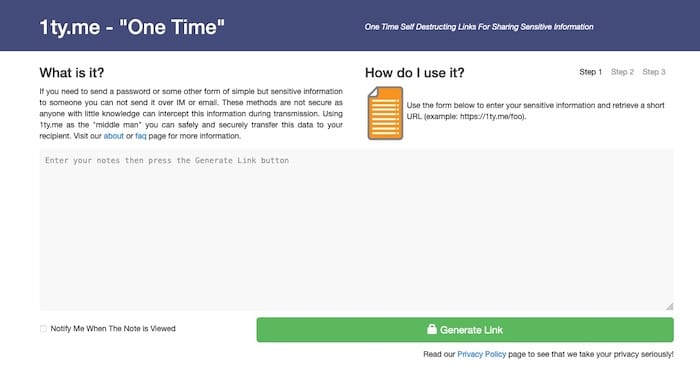
1ty.me does not require account creation. Simply enter the information in the text box and click “Generate Link”.
Copy the link and send it to your correspondent. Once the link is visited, it is destroyed and cannot be seen again.
Share credentials with Noteshred
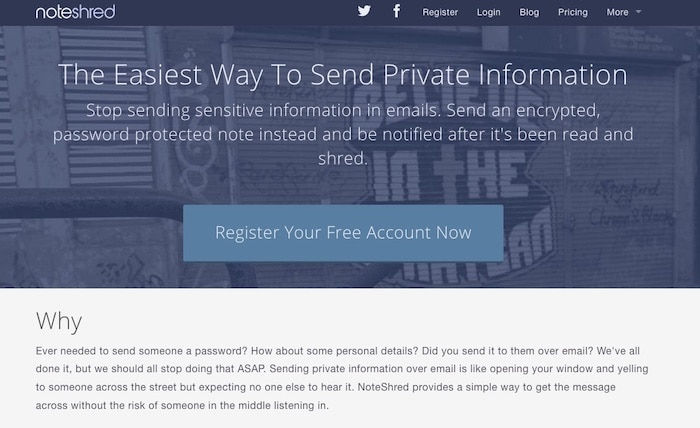
Noteshred is free but requires opening an account. Once your account is created, you can send a note directly from the interface.
Noteshred also shows your activity: you can see if a note has been received and read, or if it has been shredded.
Send secure data with Quick Forget
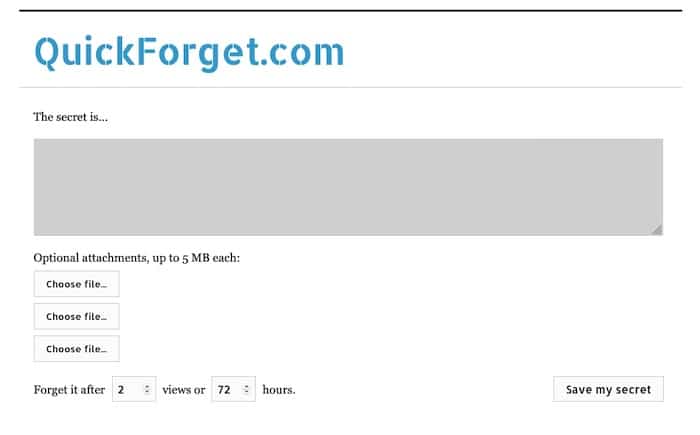
Quick Forget allows you to set a “secret” to view a certain number of times, then forget about it after a number of hours that you determine.
As with other services, you will have a link to send to your recipient, and if the secret has been viewed the expected number of times, or if the time has expired, the secret is gone.
Also read : 9 PHP development environments (IDE) to know
5. Secure your passwords regularly
Update your passwords regularly, ideally every 3 to 6 months for sensitive accounts, and at least once a year for others. Strictly avoid reusing them: in the event of a leak, a unique password greatly limits the risk of cascading compromise.
When an employee leaves the company, immediately change all access they used or shared. Even in a climate of trust, it is essential to anticipate any risks and protect your systems against abusive or malicious use.
6. Check your company's security level
To ensure the security of your business accounts, remember to follow best practices to secure your passwords. We also recommend using a password manager to avoid forgetting your passwords or worse, entering the same one everywhere!
Implementing such a solution in your company will also limit the sending of passwords between colleagues. Don't hesitate to add double authentication to your professional accounts.
Why shouldn't you send a password by email?
Email is not a secure channel by default: messages can be intercepted, forwarded or viewed on compromised devices. A password sent in clear text can therefore be easily exploited by a malicious third party.
How to send a password securely?
The most secure method is to never send a clear password in a single channel. Favor dedicated solutions (password managers, single-use links) or use information separation (username and password sent via two different channels, such as email + SMS).
Do your business tools seem insecure? Experts can diagnose your networks and software and strengthen their security. Post your project on Codeur.com to receive quotes.