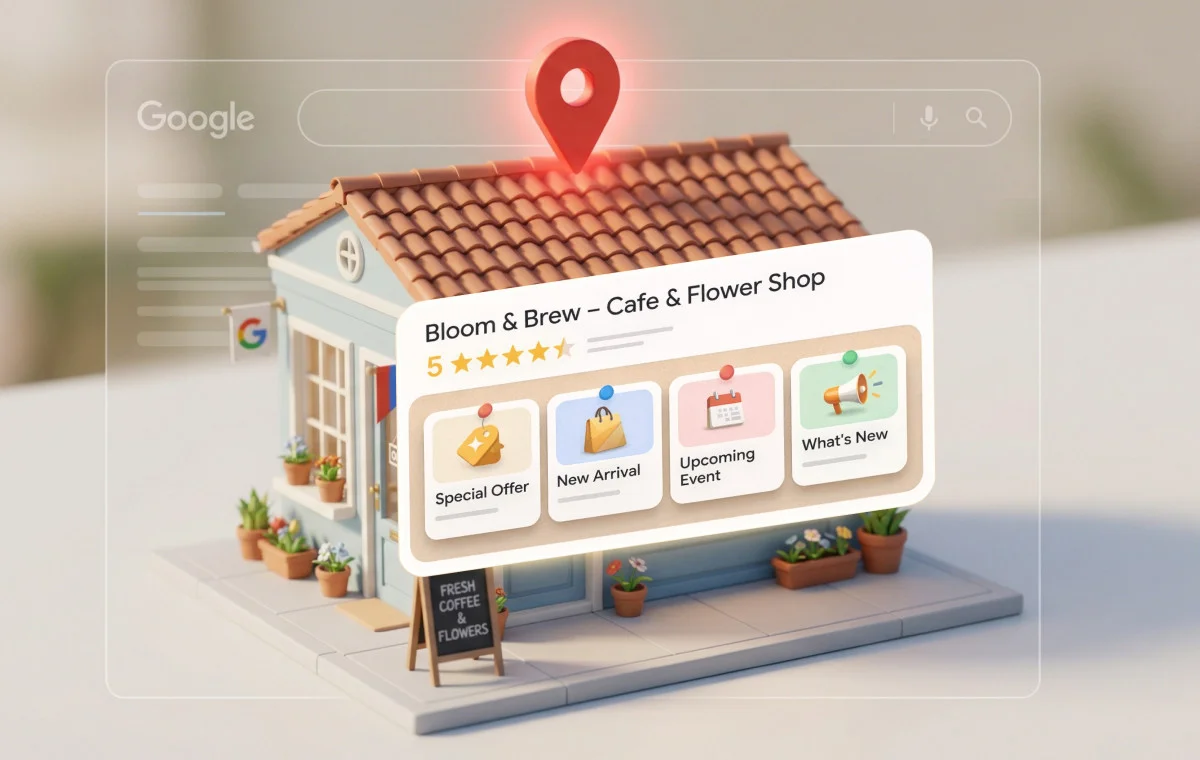
When people need a local service, their first instinct is to search on Google, whether it’s for a nearby dentist, a plumber, or the best place to eat. In fact, 71% of consumers use Google to find local businesses, yet nearly 40% of businesses never publish a single post on their Google Business Profile. That gap is a missed opportunity because active profiles consistently attract more visibility, clicks, and customer actions.
If you’ve ever opened your profile, click “Add update,” and don’t know what to post, you’re not alone. Most business owners understand the importance of GBP, but staying consistent often gets pushed aside.
This guide makes it simple. You’ll get practical, ready-to-use post ideas organized by post type and industry, so you always know what to publish and why it works. Whether you run a dental clinic, salon, law firm, or home service business, you’ll find ideas tailored to you.
Let’s turn your Google Business Profile from a static listing into a steady source of leads and customer actions.
Key Highlights:
- Google Business Profile posts help improve local visibility and drive more clicks, calls, and customer actions.
- Posting consistently on Google keeps your business listing active and builds trust with potential customers.
- Mix post types like updates, offers, events, and product listings to keep content fresh.
- Share proven content ideas such as promotions, tips, testimonials, team highlights, and seasonal posts. Add clear CTAs, strong visuals, and concise copy to increase engagement.
- Posting on Google profile at least once a week delivers better results than occasional updates.
- Avoid common mistakes like no CTA, poor images, long text, and inconsistent posting.
What Are Google Business Profile Posts?
Google Business Profile (GBP) posts are short updates that appear on your business listing in Google Search and Google Maps. They work like mini updates, highlighting offers, events, news, or announcements, and are visible to users when they view your Business Profile.
For example, when someone searches for “dentist near me” or “best pizza in Austin,” your profile may appear in local results. If you’ve shared a recent post, it shows within your profile as a card with an image, preview text, and a call-to-action button.
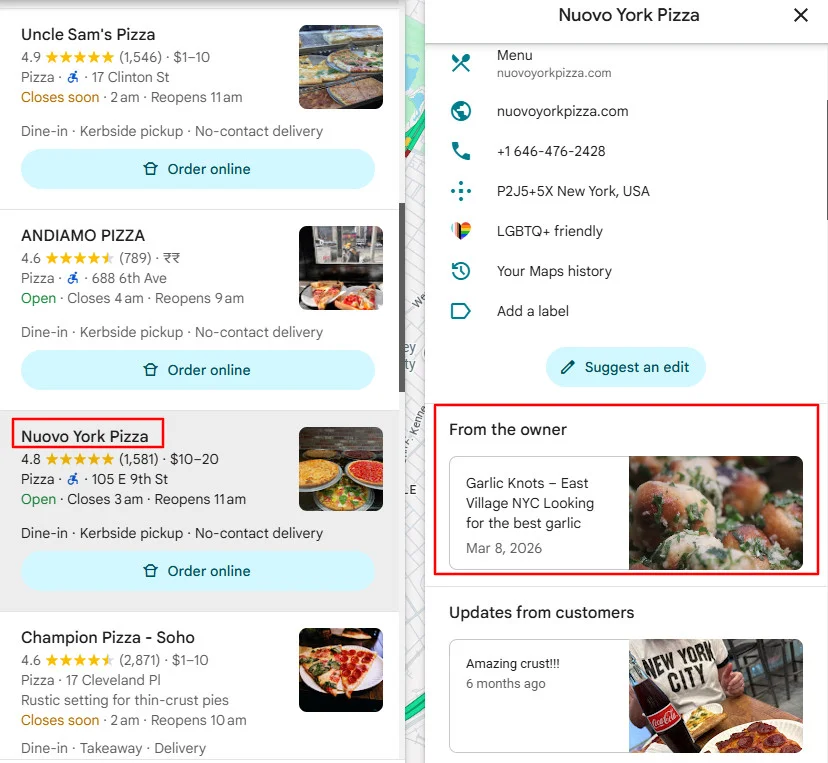
According to SQMagazine, businesses that post weekly see a 26% increase in local impressions and 21% more user interactions compared to inactive listings.
On mobile, posts appear as users scroll through your profile, while on desktop, they show in a carousel within the Knowledge Panel.
The key advantage is that Google Business Profile posts are completely free. They give businesses a way to share updates, offers, and important information directly with high-intent customers who are already looking for service or product.
Types of Google Business Profile Posts You Can Publish
Before exploring specific Google profile post ideas, you need to understand three type of posts Google offers. Each serves a different purpose and posting mixing them keeps your profile fresh.

1. Update Posts
Update posts are your go-to format for general announcements, product updates, tips, news, and behind-the-scenes content. They’re the most flexible post type.
- Character limit: 1,500 characters (aim for 150-300 for best engagement)
- Media: Up to 10 photos or videos
- CTA options: Book, Order Online, Buy, Learn More, Sign Up, Call Now
- Lifespan: Visible for up to six months but loses top placement after about seven days and then remains in the archive.

2. Offer Posts
Google profiles’ offer posts are built for promotions, discounts, and deals. They stand out because they automatically get a “View Offer” button and appear in a dedicated “Deals” tab on mobile.

- Title limit: 58 characters
- Required fields: Start date and end date
- Optional fields: Coupon code, redemption link, details, terms and conditions

3. Event Posts
Event posts let you promote workshops, open houses, webinars, and community activities with a specific date and time. Their biggest advantage is longevity: they stay active until the event date passes.
- Required fields: Event title, start date/time, end date/time
- CTA options: Same as Update posts, plus linking to ticket pages
- Best for: Extending post visibility beyond the typical seven-day cycle

4. Product Listing (Additional Post Type for Local Businesses)
Product listing is not a post format, but they appear alongside your posts on your Google Business Profile and work similar to posts. It used to showcase individual products or services with details like pricing, descriptions, and images under section of menu or catalogue. Unlike regular posts, product listings remain visible until you remove them.

To add or manage products, search for your business on Google while logged in and click on “Edit products” from the management options.
- Fields: Product name, category, price, photo, description, image(s), CTA
- Best for: Retail shops, e-commerce businesses, and service-based businesses with defined service packages
| Post Type | Best For | Lifespan | CTA Options |
| Update | General announcements, tips, news | 6 months (7-day priority) | Book, Order, Buy, Learn More, Sign Up, Call |
| Offer | Promotions, discounts, deals | Until end date | View Offer (auto generated) |
| Event | Workshops, open houses, classes | Until event date | Book, Learn More, Sign Up, Call |
| Product Listing | Products, service packages | Permanent | Buy, Learn More, Order |
How Google Business Profile Posts Help Your Local Business?
Posting on your Google Business Profile isn’t just about staying active; it helps more people notice your business and take action. Regular posts keep your profile fresh, build trust, and give customers a reason to choose you over others. Here are reasons why you should regularly post on Business My Business listing:
- Local Pack visibility: Google treats recent posts as an activity signal. Businesses that post regularly are more likely to appear in the Local Pack, the prime real estate at the top of local search results.
- More customer actions: Businesses with quality photos on their GBP get 42% more direction requests and 35% more website clicks, according Think with Google Report. Posts amplify this by giving searchers specific reasons to engage right now, whether that’s a limited-time offer, a new menu item, or a seasonal service.
- Trust and credibility: 63% of consumers say they’d stop using a local business if they found incorrect or outdated information online according to a BrightLocal study. Active posting signals that your business is open, engaged, and current.
Case Study: A furniture repair shop in Winnipeg saw major results after optimizing its Google Business Profile. Before that, visibility and phone calls were low. After 12 months of consistent posting, better images, and a fully updated profile, their mobile impressions and phone calls tripled, and their primary keyword improved by 98 positions. This shows how regular posting and profile optimization can significantly boost local visibility.
15 Google Business Profile Post Ideas That Work for Any Business
These universal post ideas apply to virtually every local business. Use them as your core rotation, then supplement with niche-specific ideas from the next section.
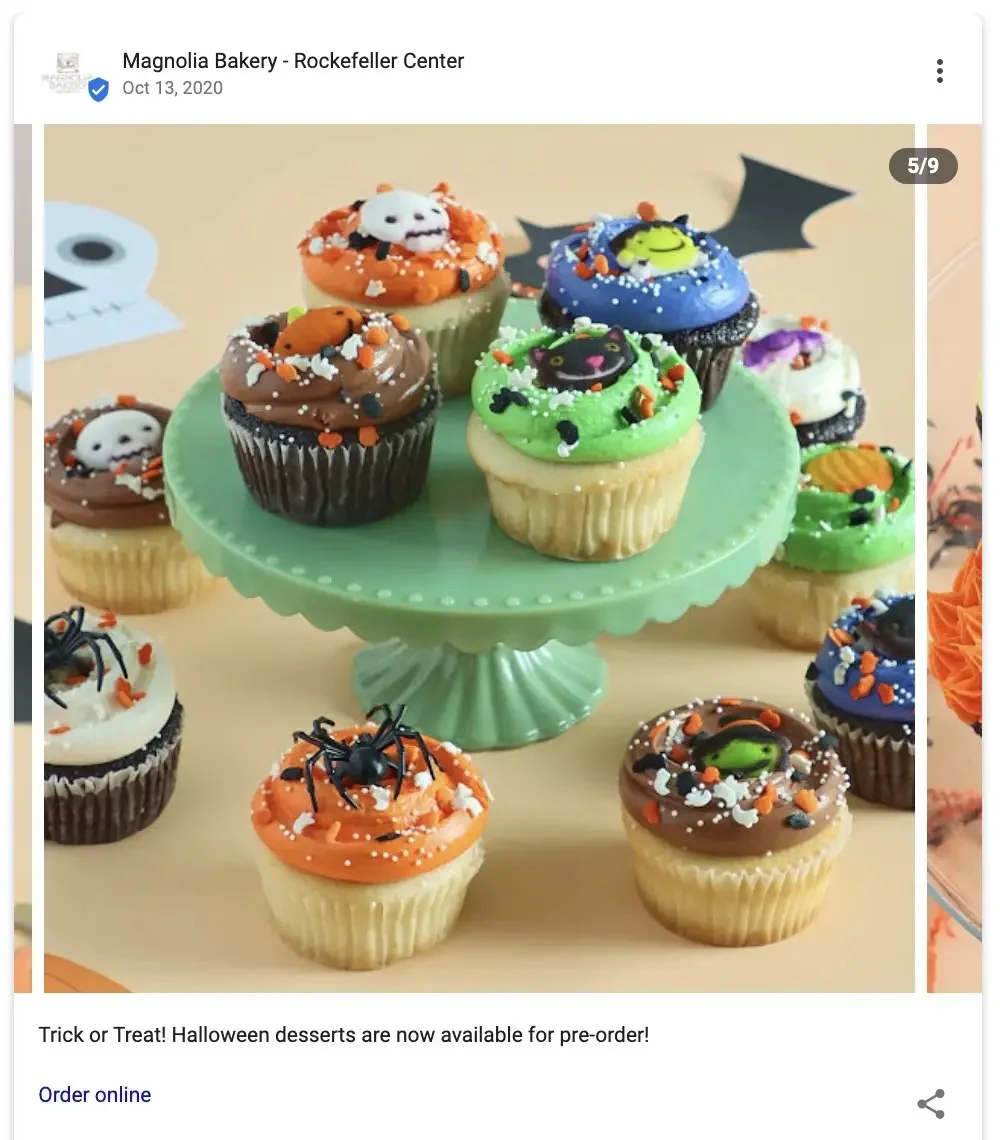
This type of post helps businesses stay active and gives customers a reason to choose from you now. When people see something new, they’re more likely to take action instead of going to a competitor.
Keep it simple: show what’s new, why it matters, and add a clear CTA like Order Online, Book, or Learn More.

This is one of the best ways to turn searches into immediate customers. A clear deal with a deadline pushes people to act quickly instead of delaying or choosing a competitor such as seasonal service discount, limited time discount post, or holiday or event-based offers.
Mention the discount, highlight the value, and clearly state the expiry. Use a direct CTA like Get Offer, Call Now, or Book Today to drive action.

3. Announce Events and Workshops
This helps attract local attention and bring people directly to your business. Events also stay visible longer on your profile, giving you extended exposure compared to regular posts.
Share what the event is, who it’s for, and key details like date and time. Use a CTA like Sign Up, Book, or Visit Us to encourage participation.

4. Post Before-and-After Transformations
These types of comparison posts build trust quickly by showing real results instead of just talking about them. People can clearly see the difference your work makes, which makes it easier for them to choose you.
Use clear visuals that highlight the change and add a CTA like Call Now or Get a Quote to turn interest into action.

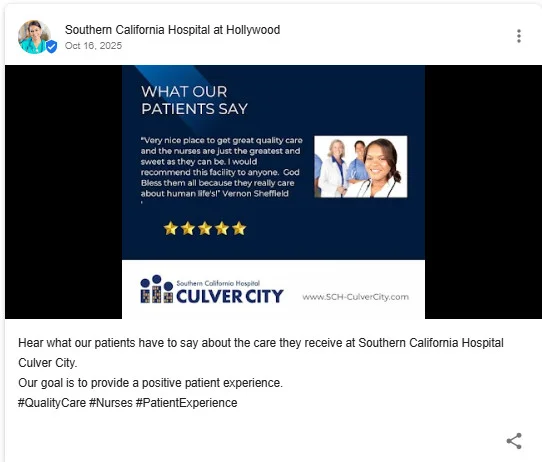
5. Highlight Customer Reviews and Testimonials
This builds trust by showing real experiences from your customers. When people see positive feedback, it reassures them that they’re making the right choice.
Pick reviews that mention specific results or experiences and add a CTA like Call Now or Book Today to encourage action.

6. Introduce Your Team Members
This helps people feel more comfortable choosing your business. When customers can see who they’ll be working with, it builds trust and makes your business feel more personal.
Highlight their role, experience, or what makes them unique, and add a CTA like Book Now or Call Today to drive inquiries.

This helps build trust by showing your expertise. When you provide useful tips, people see your business as helpful and knowledgeable, not just selling services.
Share simple, practical advice your customers can use, and guide them with a CTA like Learn More or Call Now if they need help.
8. Announce New Services or Updated Hours
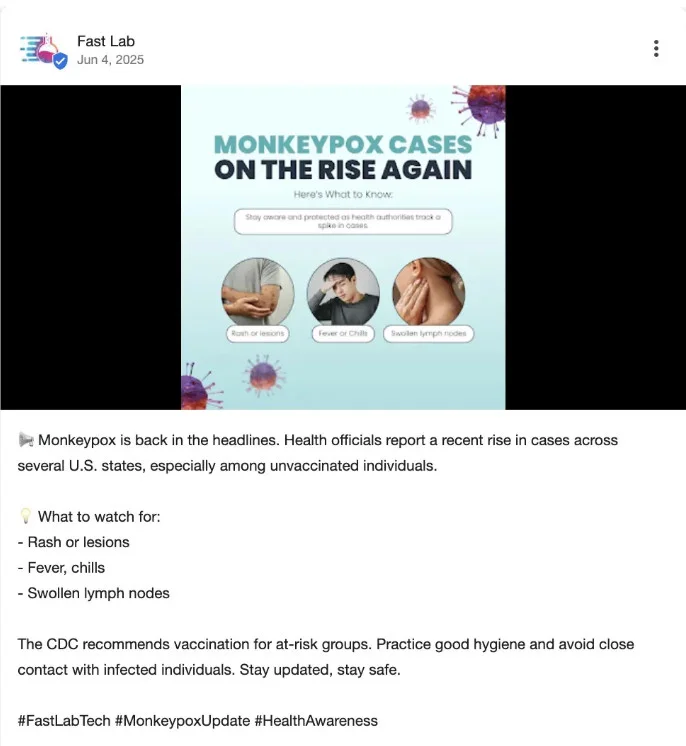
This keeps customers informed and avoids confusion. When people know exactly what you offer and when you’re available, they’re more likely to choose you without hesitation.
Clearly mention what’s changed and how it benefits them, then guide them with a CTA like Book Now, Call Today, or Visit Us.
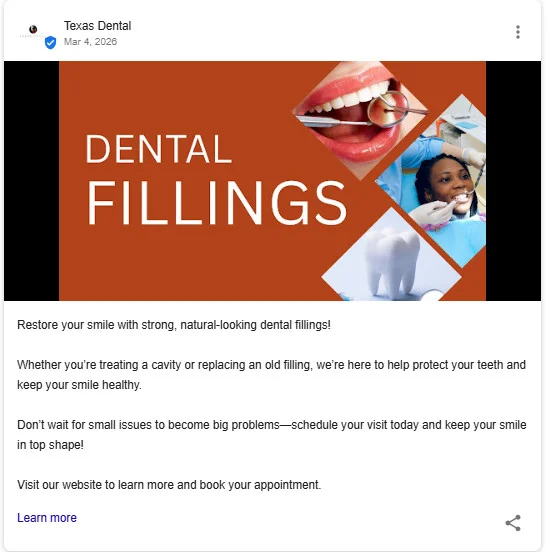
9. Post Behind-the-Scenes Content
This makes your business feel more real and relatable. When people see how things are done, it builds transparency and trust.
Show simple moments from your daily work or process and use a CTA like Learn More or Visit Us to keep people engaged.

This helps position your business as part of the local community, not just another service provider. People are more likely to support businesses that actively give back or stay involved locally.
Highlight what you’re doing and why it matters, and guide people with a CTA like Learn More or Visit Us to build stronger local connections.
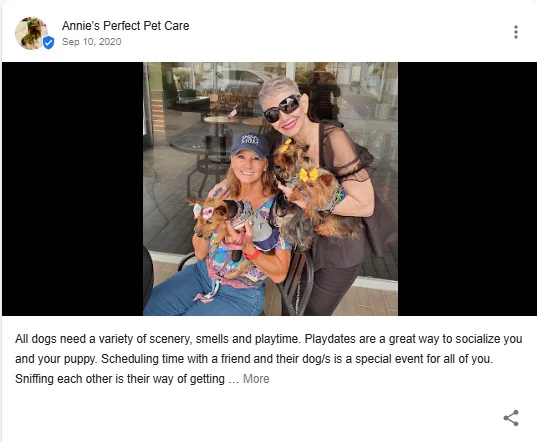
11. Create Seasonal and Holiday Content
This keeps your profile relevant and timely. When your posts match what people are already thinking about, like seasons, holidays, or weather, it naturally grabs more attention.
Connect your service or offer to the current moment and use a CTA like Book Now or Call Today to turn that attention into action.

12. Post FAQ-Style Answers
This helps remove doubts and makes it easier for customers to choose you. When you answer common questions upfront, people feel more confident reaching out.
Pick real questions your customers ask and answer them clearly. Add a CTA like Call Now or Learn More to guide the next step.
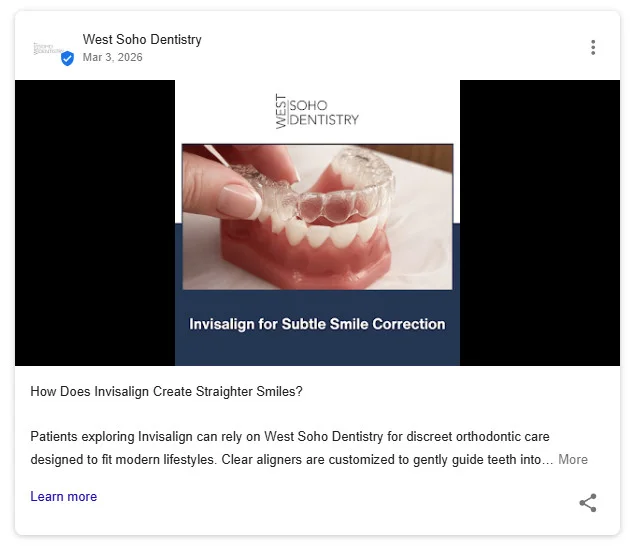
This shows that your business is up to date and knowledgeable. When customers see you sharing important updates, it builds credibility and trust.
Focus on changes that affect your customers and explain them in simple terms. Add a CTA like Learn More or Contact Us for further help.

14. Promote Referral Programs
This helps you bring in new customers through people who already trust you. Referrals feel more reliable, so they often convert faster than regular leads.
Clearly explain the reward and how it works and use a CTA like Get Offer or Refer Now to encourage participation.

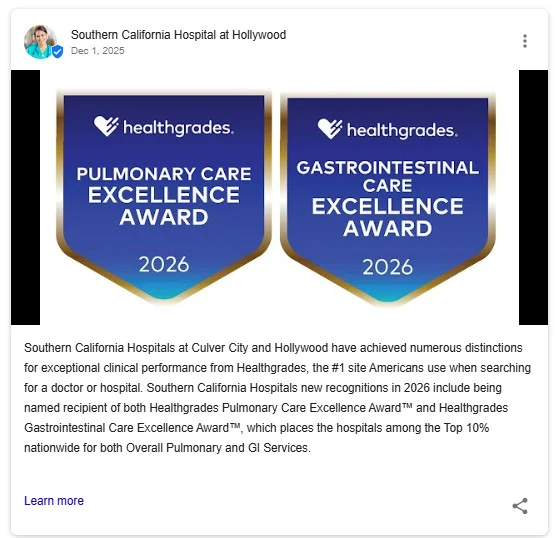
15. Highlight Certifications, Awards, and Milestones
This builds credibility and reassures customers that they’re choosing a trusted business. Recognition, achievements, and milestones make your business stand out from competitors.
Share what you’ve earned or achieved and why it matters, then guide users with a CTA like Learn More or Contact Us.
Google Business Profile Post Ideas by Industry (With Real Examples)
Now let’s get specific. Below you’ll find tailored Google Business Profile post ideas for 10 of the most common local businesses:
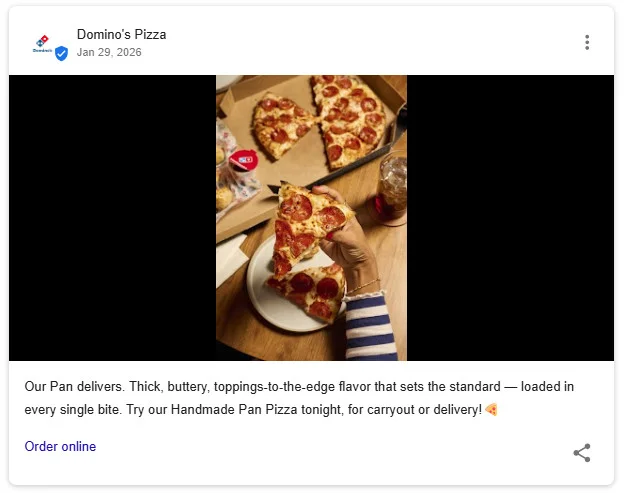
1. Restaurants and Cafes
Restaurants and cafes can use GBP posts to highlight offerings, attract foot traffic, and keep customers engaged with fresh updates.
- Specials & Offers: Promote daily or weekly specials to drive immediate visits.
- New Menu Updates: Announce new dishes or seasonal menus to attract repeat customers.
- Events: Share live music, themed nights, or special dining events.
- Behind-the-Scenes: Show food preparation, kitchen moments, or staff stories to build trust.
- Chef or Team Spotlights: Introduce chefs or staff to create a personal connection.
- Online Ordering & Services: Highlight delivery, takeaway, or reservation options.
- Customer Highlights: Share reviews or testimonials to build credibility.
2. Dental Clinics and Dentists
Dental clinics can use GBP posts to build trust, educate patients, and promote services in a reassuring way.
- Service Highlights: Promote treatments like whitening, implants, or cleanings.
- Oral Health Tips: Share simple tips to educate and build credibility.
- Technology Updates: Highlight new tools or procedures to build confidence.
- New Patient Offers: Attract first-time patients with special deals.
- Before & After Results: Showcase smile transformations to build trust.
- Patient Comfort Content: Address anxiety and explain comfort options.
- Seasonal Reminders: Encourage checkups during key times (school, holidays).
- Team Spotlights: Introduce staff to create a friendly, approachable image.

3. Law Firms and Attorneys
Law firms can use GBP posts to build authority, educate potential clients, and showcase credibility without being overly promotional.
- Legal Tips: Share actionable advice on common legal situations.
- Case Results: Highlight successful outcomes to build trust and credibility.
- Service Announcements: Promote legal services like personal injury, family law, or estate planning.
- Deadlines & Legal Updates: Inform users about important timelines or law changes.
- Community Involvement: Showcase participation in local events or pro bono work.
- FAQs: Answer common legal questions to educate potential clients.
- Events & Workshops: Promote seminars, consultations, or legal workshops.
- Attorney Achievements: Highlight awards, recognitions, or media appearances.

Note: Law firms should generally avoid “Offer” posts with coupon codes, as this may conflict with Bar Association advertising rules. Stick to Update and Event post types.
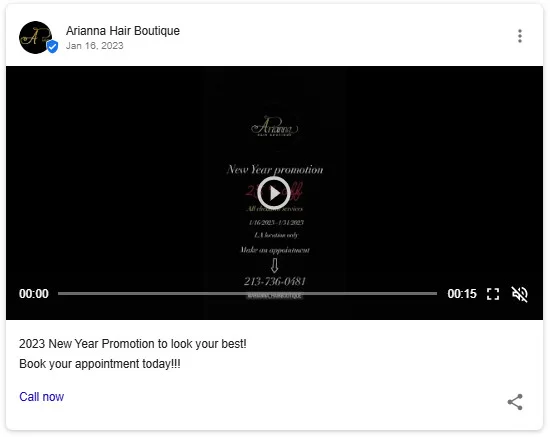
4. Hair Salons, Spa and Barbershops
Hair salons and barbershops can use GBP posts to showcase their work, attract bookings, and highlight trends through strong visual content.
- Before & After Transformations: Show real client results to build trust and attract new customers.
- Offers & Promotions: Share discounts or deals to drive bookings.
- Stylist Spotlights: Introduce team members to build personal connections.
- Last-Minute Availability: Fill open slots quickly with timely updates.
- Trending Styles: Highlight popular cuts, colors, or styles to stay relevant.
- Product Recommendations: Promote in-salon products to add value and boost sales.
- Flash Sales: Create urgency with limited-time offers.
- New Services: Announce new treatments or services to attract interest.
5. Real Estate Agents and Agencies
Real estate agents can use GBP posts to showcase listings, share market insights, and position themselves as local experts.
- New Listings: Highlight available properties to attract buyers.
- Just Sold Updates: Showcase successful deals to build credibility.
- Market Updates: Share local trends and pricing insights.
- Open Houses (Events): Promote upcoming property viewings.
- Neighborhood Guides: Highlight local areas to attract potential buyers.
- Buyer/Seller Tips: Educate clients on the buying or selling process.
- Client Testimonials: Build trust with real success stories.
- Seasonal Advice: Share timely tips to guide buying or selling decisions.

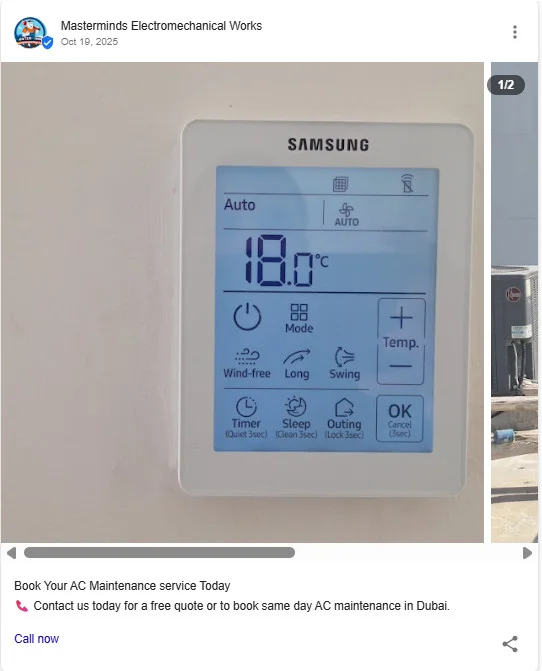
6. Plumbers, HVAC, and Other Home Services
Home service businesses can use GBP posts to address common issues, share expertise, and promote timely services based on seasonal needs.
- Seasonal Tips: Share maintenance advice to prevent common problems.
- Emergency Services: Highlight availability for urgent repairs.
- Offers & Discounts: Promote tune-ups or seasonal deals to drive bookings.
- Before & After Projects: Showcase completed work to build trust.
- Referral Programs: Encourage word-of-mouth with incentives.
- DIY Tips: Provide helpful advice to position your business as an expert.
- Business Updates: Share changes like extended hours or new services.
- Team Updates: Introduce technicians to build credibility and trust.
7. Gyms and Fitness Studios
Gyms and fitness studios can use GBP posts to motivate members, promote classes, and build a strong community around their brand.
- Events & Classes: Promote workouts, boot camps, or special sessions.
- Member Spotlights: Celebrate member achievements to build community.
- New Programs: Announce new classes or training programs.
- Fitness Challenges: Run short-term challenges to boost engagement.
- Offers & Promotions: Attract new members with deals or trials.
- FAQs for Beginners: Answer common questions to reduce entry barriers.
- Fitness Tips: Share workout, recovery, or nutrition advice.
- Online/Virtual Options: Promote virtual classes for flexibility.

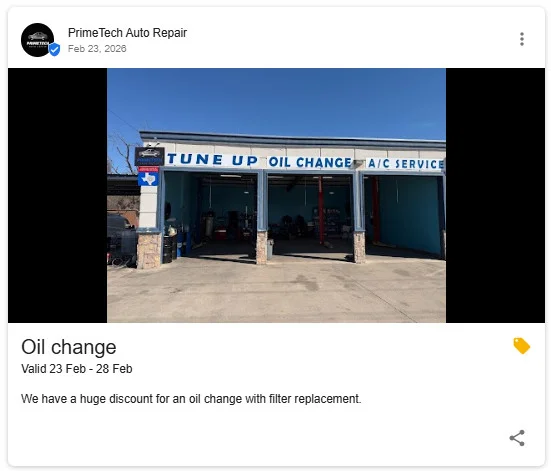
8. Auto Repair Shops and Dealers
Auto repair shops can use GBP posts to educate customers, promote services, and build trust through expertise and transparency.
- Seasonal Reminders: Encourage timely maintenance like winter or summer checkups.
- Maintenance Tips: Share simple car care advice to educate customers.
- Trust Builders: Highlight certifications, experience, or expertise.
- Service Offers: Promote discounts on common services to drive visits.
- Customer Reviews: Showcase feedback to build credibility.
- Milestones: Celebrate anniversaries or achievements to build brand trust.
- New Services: Announce additional offerings to attract more customers.
- Safety Alerts: Educate customers on urgent issues and when to take action.
9. Medical Centers and Clinics
Medical centers and doctors who run personal local clinics can use GBP posts to educate patients, promote services, and build trust through helpful and timely health information.
- Seasonal Health Reminders: Promote vaccinations or seasonal care (e.g., flu shots).
- New Services: Announce offerings like telehealth or specialized treatments.
- Wellness Tips: Share simple health advice to educate patients.
- New Providers: Introduce doctors to build familiarity and trust.
- Health Events: Promote screenings or community health initiatives.
- Checkup Reminders: Encourage routine visits and preventive care.
- Patient FAQs: Answer common health questions to guide patients.
- Facility Updates: Highlight new equipment or services for better care.
10. Pet Services (Vets and Groomers)
Pet service businesses can use GBP posts to showcase care quality, educate pet owners, and build trust with engaging, pet-focused content.
- Before & After Grooming: Show pet transformations to attract bookings.
- Seasonal Safety Tips: Share important care tips for weather or conditions.
- Health Reminders: Promote vaccinations, checkups, and preventive care.
- Offers & Promotions: Highlight discounts on services like grooming or dental care.
- Happy Pet Highlights: Share photos to create emotional connection and trust.
- Educational Content: Inform owners about pet health and wellness.
- Events: Promote adoption drives or community pet events.
- Facility Updates: Showcase upgrades or features to build confidence.

Your Monthly Google Business Profile Posting Calendar
Consistency matters more than volume. Here’s a simple four-week rotation you can adapt to any industry:
| Week | Post Type | Content Focus | Example |
| Week 1 | Update | Educational tip or how-to | Share an expert tip related to your service |
| Week 2 | Update | Behind-the-scenes or team spotlight | Introduce a team member or show your process |
| Week 3 | Offer or Event | Promotion or upcoming event | Run a limited-time deal or announce an event |
| Week 4 | Update | Customer success or testimonial | Highlight a review or share a before/after |
Once you’ve completed and optimized your GBP profile, start posting at least once a week. If you can manage two or three posts per week, even better.
Local businesses that post weekly see 30–40% higher engagement in local results compared to those that post monthly. According to Blue Wolf reports, businesses with more than 10 posts see 42% more direction requests, and maintaining a 4.5+ star rating can drive up to 3.5x higher engagement.
Best Practices for Posting on Google Business Profiles
To get better results from your Google Business Profile posts, focus on clarity, consistency, and action-driven content. These best practices help improve visibility and engagement.
- Get Your Images Right: Use images sized 1200 × 900 pixels (4:3 ratio) to avoid cropping. Keep key elements (text, logos, faces) centered within a safe area. Use real, high-quality photos of your business, clear images can drive better engagement.
- Write for the Preview: Only the first 1–3 lines show in preview, so put the most important info first. Keep posts clear and concise (around 150–300 characters) even though the character limit is 1500.
- Always Include a CTA: Add a clear call-to-action in every post. Match it to your goal: Call Now, Book, Order Online, Learn More, to drive more conversions.
- Skip the Hashtags: Unlike Instagram or LinkedIn, hashtags don’t help on GBP. They look out of place and take up valuable character space. Focus on clear, direct messaging instead.
- Add UTM Parameters: If you’re linking to your website through CTA buttons, add UTM parameters to track how much traffic your GBP posts actually drive. This lets you measure ROI in Google Analytics instead of guessing.
Now let’s understand how to post on your business profile to stay consistently active.
How to Schedule Google Business Profile Posts
One of the biggest challenges with GBP posting is consistency. As we observe, most local businesses don’t post regularly or sometimes delay posting important events or product updates. This often leads to long gaps in activity, and ultimately, you lose the top spot in local search.
Scheduling posts in advance can solve this problem. While Google doesn’t offer advanced scheduling, tools like SocialPilot allow you to create and schedule posts in advance so they publish automatically.
Here’s why scheduling is useful:
- Manage multiple locations: Schedule posts for different business locations from one dashboard instead of switching between profiles.
- Content calendar view: See all your scheduled GBP posts alongside your social media content on one visual content calendar.
- Track performance: See which posts drive clicks, calls, and directions to improve your strategy.
- AI Pilot: It helps you create post content with different tones and styles.
Using an GBP scheduling tool also helps you manage GBP alongside other social platforms in one place, making your overall marketing more organized and consistent
Common Mistakes to Avoid While Posting on Google Business Profile
Even businesses that post regularly can undermine their efforts with these common mistakes:
- No CTA button: Every post should direct the reader toward a specific action. Leaving out the CTA is leaving conversions on the table.
- Poor image quality: Blurry, dark, or generic stock photos hurt more than they help. Use real, well-lit photos of your business and work.
- Writing too much text: Most of your text gets truncated in the preview. Keep posts to 80-100 words and lead with the most important information.
- Using hashtags: They don’t work on GBP the way they do on social media. Leave them out.
- Posting once and disappearing: One post per month won’t move the needle. Commit to at least one post per week for consistent visibility.
- Broken CTA links: If your “Learn More” button leads to a 404 page, you’ve lost the customer. Test every link before publishing.
- Ignoring analytics: GBP provides insights on views, clicks, calls, and direction requests. Check these monthly to understand what content resonates and adjust your strategy.
Start Posting to Your Google Business Profile Today
Google Business Profile posts are one of the most underused free tools for local businesses. They’re quick to create, cost nothing, and can directly influence whether customers find and choose you.
Here’s a simple way to get started:
- Pick 3–5 post ideas that fit your business
- Create your first post using a basic structure
- Set a weekly reminder or schedule posts in advance
- Check performance regularly to see what works
- Mix different post types to keep things fresh
The businesses that stay consistent are the ones that get noticed. Your next customer is already searching, make sure your profile gives them a reason to choose you.
Start scheduling your GBP posts today with SocialPilot’s free 14-day trial, no credit card is required.