
An SEO audit can quickly become complicated without the right tools. Fortunately, some free extensions on Google Chrome allow you to quickly analyze the performance of a site or competitor. In just a few clicks, you access key data such as keywords, backlinks or estimated traffic.
Here are 10 essential Chrome plugins for carrying out a simple and effective SEO audit.
The tools in this article were selected by our team and are not sponsored. Find out how sponsor your tool.
1. SEOquake
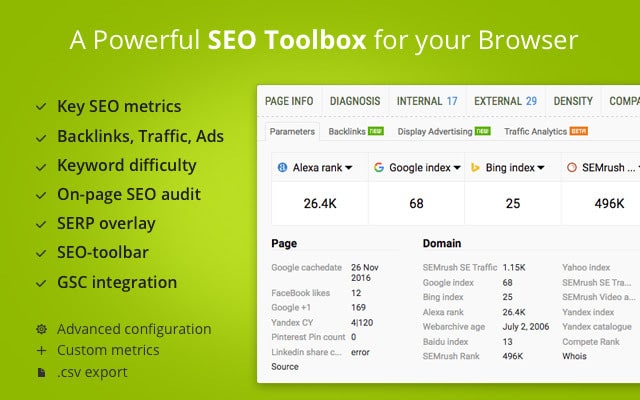
Very complete, SEOQuake is a nugget that gives you a lot of information on a website. In record time, this extension is able to provide you with the main metrics of a domain name and perform an in-depth analysis of the SEO strategy. You are able to know the traffic of a site, the most used keywords, incoming requests or even backlinks.
From this Chrome extension, you can compare several websites. This is ideal for positioning yourself compared to your competitors!
2. Redirect Path
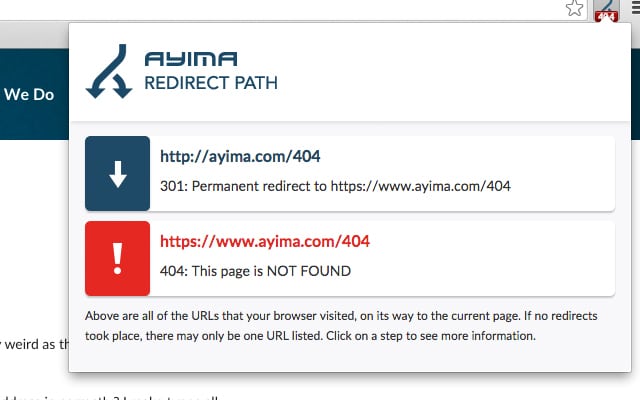
Broken URLs harm your SEO! To be sure to only have high-performance addresses on your site, install the Chrome plugin Redirect Path. In a few seconds, it detects dead links, as well as those that have been redirected.
This is the essential extension for companies that have recently migrated their website.
3. WooRank
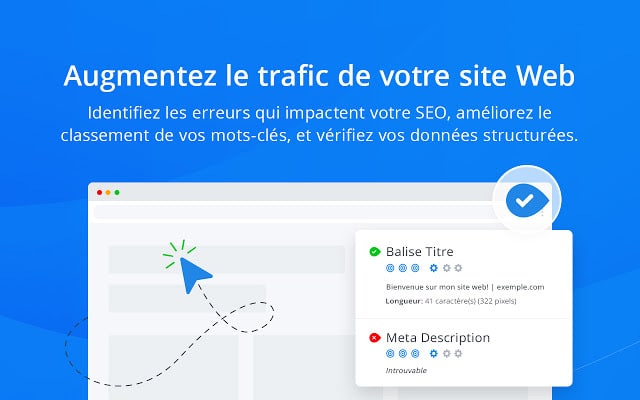
Chrome extension WooRank is perfect for knowing, in one click, the statistics of your site or another. In addition to all the data related to traffic, you have information regarding mobile SEO, such as the loading speed of pages on smartphones.
The keywords mainly used by the site are visible thanks to a word cloud very graphic. At a glance, you will know the positioning of the site in search engines and you will obtain a list of its competitors.
To go even further, you can probe the security of the domain name, check the Whois, find out the level of security and the typographies used. WooRank even offers you the possibility of carrying out complete social monitoring.
It is the perfect tool for auditing your web and SEO performance, as well as that of your main competitors.
4. Majestic Backlink Analyzer
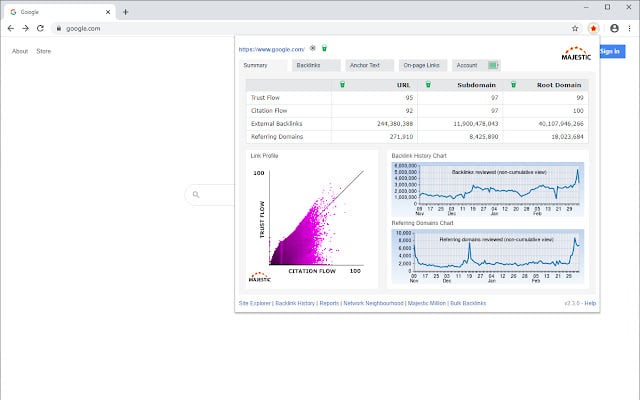
As the name suggests, the Chrome extension Majestic Backlink Analyzer allows you to audit the backlinks of the site of your choice. Very strategic in SEO terms, inbound links provide Google with important information to position you.
Furthermore, studying competitors' backlinks can help you learn about their partnerships and gives you valuable data on their traffic acquisition strategy. This information then allows you to improve your own SEO!
Discover our selection of backlink analysis tools.
5. Tag Assistant
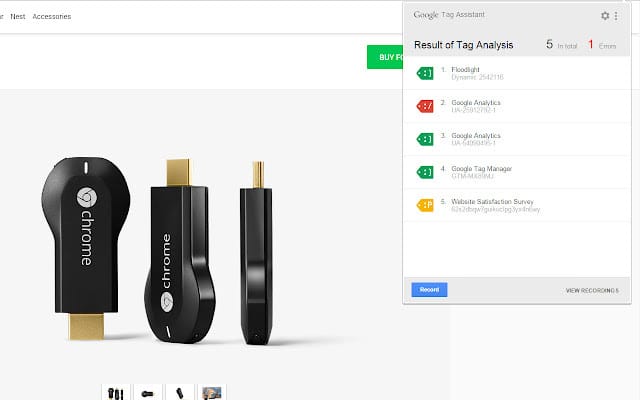
The Chrome plugin Tag Assistant is aimed at professionals who use Google Ads. Its objective is to help you verify the tags implemented in your Ads campaigns or in your Analytics reports.
This tag manager ensures better monitoring of your actions, simplifies your SEO operations and helps you save time in setting up your campaigns. In short: it is the essential tool for e-commerce and businesses that rely on Adwords to boost their traffic.
If you are looking for specific tools for online stores, know that there are many extensions for Google Chrome dedicated to e-commerce.
6. Ubersuggest
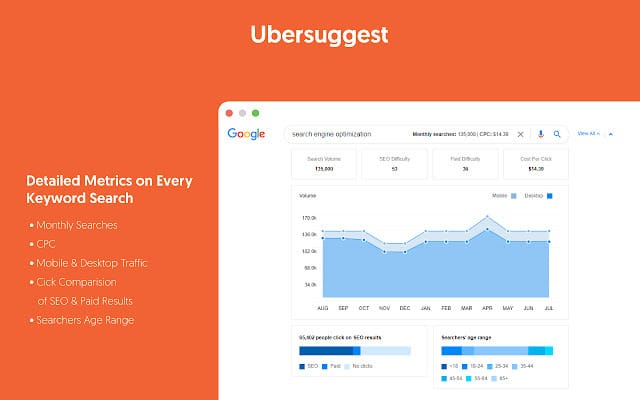
The Chrome plugin Ubersuggest is a plugin that allows you to view extensive keyword data directly from search results. For example, you can see:
- Search volume for a given keyword
- The cost per click (CPC) on this keyword
- Suggestions of what users also searched for, both on Google and YouTube and on Amazon
Once you have installed the keyword research tool Ubersuggestall you have to do is go to Google, YouTube or Amazon and search.
Then, you will see all the data linked to this search displayed using the plugin. You can export this data in CSV format.
7. SimilarWeb
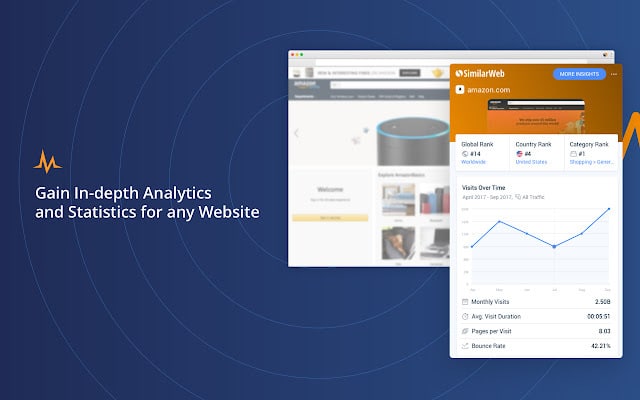
SimilarWeb is a Chrome plugin that allows you to view the traffic of a website, yours or a competitor's, and get key metrics for the entire website. We find in particular:
- Traffic;
- A ranking for this traffic;
- A ranking of keywords;
- The source of the traffic.
The extension allows you to get data found on similarweb.com directly from your browser toolbar without having to go to their site.
8. MozBar
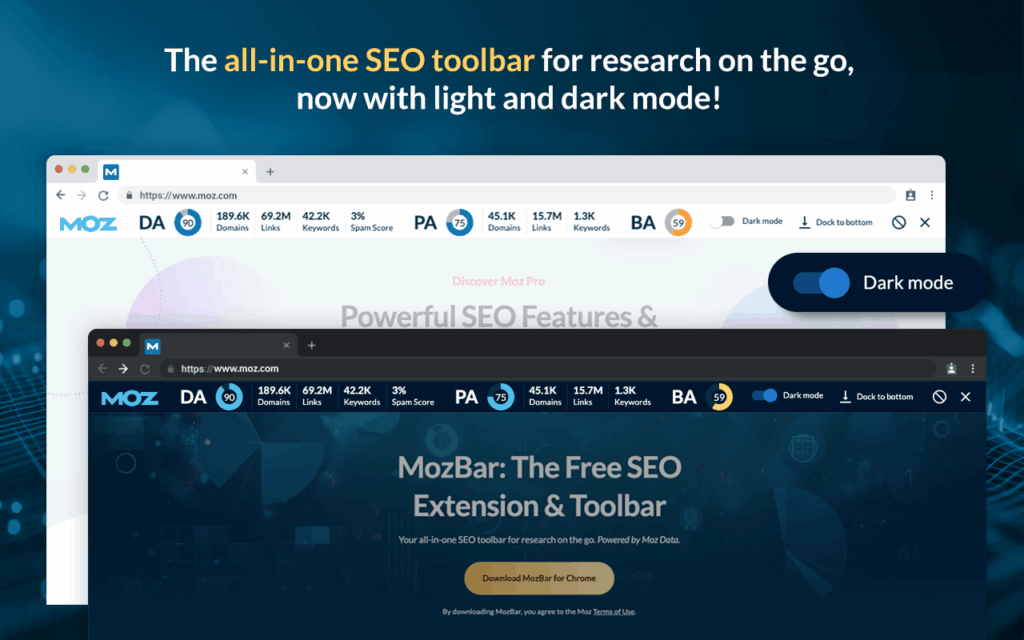
The plugin MozBar is an all-in-one tool that, like SEOquake, allows you to obtain a lot of data on a website. On this plugin, you can create custom searches by engine, country, region or city.
This extension is handy when you're browsing the web and looking for potential competitors: it quickly shows you how you stack up against them.
9. META SEO Inspector
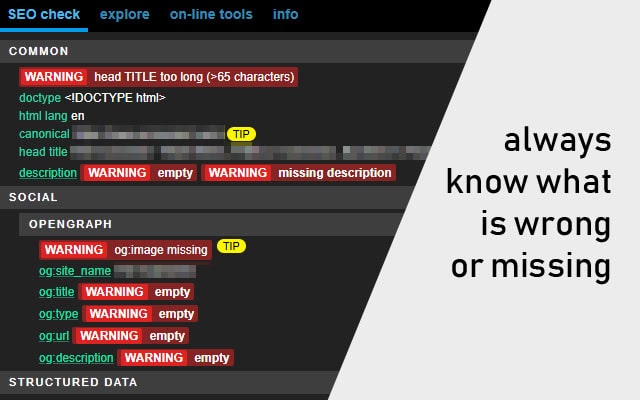
Using Meta SEO Inspectoryou can quickly see if your meta tags are configured correctly or not. These have a really significant impact on the SEO of your site. With this plugin, you will even have instructions on how to best resolve the errors that have been reported to you regarding your meta tags.
Also read : SEO: the guide to meta tags
10. SEO Minion
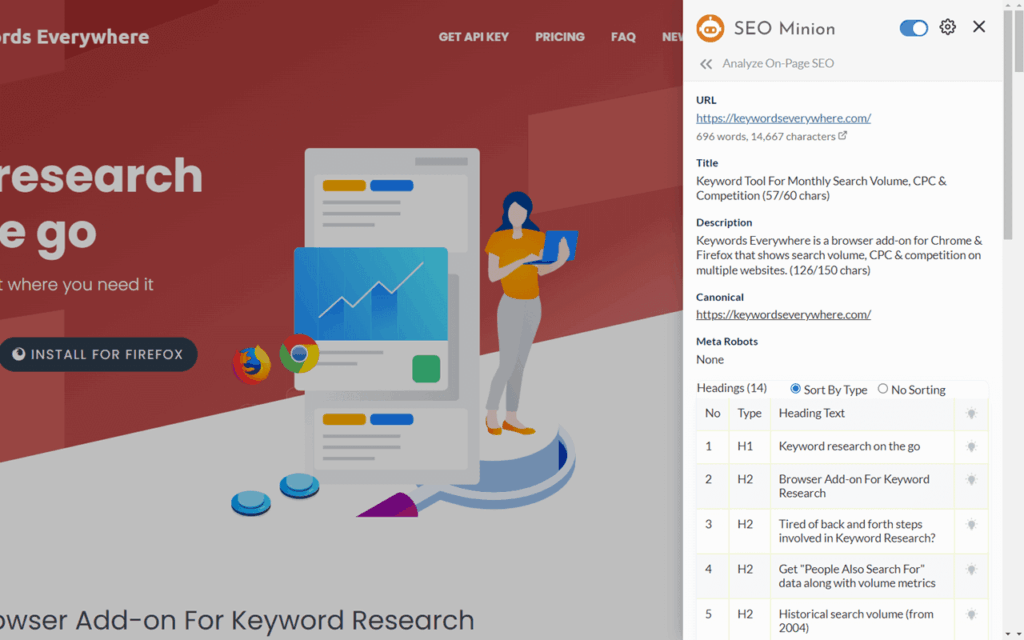
The plugin SEO Minion allows you to work on your SEO every day. And that’s good! We know that SEO is a long-term task. For example, you must regularly check broken links and replace them.
This plugin allows you to perform this task and many others:
- Take a look at one-page SEO;
- Check “hreflang” tags;
- Preview your website on a search engine page…
In short, you work on your SEO a little every day and gradually.
SEO Chrome extension: take action and boost your SEO
Auditing your site doesn't have to be complicated or time-consuming. With these extensions on Google Chrome, you already have everything you need to identify your weak points, analyze your competitors and improve your visibility.
But the real difference doesn't come from the tools…it comes from what you do with them. Test, compare, optimize, and above all, take action regularly.
Get started today with 2 or 3 plugins, and turn your analyzes into real results.
Do you want to boost your SEO? Post your requirements on Codeur.com ! Many freelancers are ready to help you achieve your goals.