
A database stores and organizes your information, such as your product catalogs and your customer filesfacilitating access, management and analysis of data.
Choosing your database management system cannot be improvised and must be based on technical reasons.
Thanks to database software, using your information becomes simple and strategic. Essential for optimizing your marketing and sales actions, discover the best software to create a powerful database.
The tools in this article were selected by our team and are not sponsored. Find out how sponsor your tool.
1. MySQL: the database reference
True reference, MySQL is by far the most popular database software for web applications. Although it is free, it is regularly updated with new features and security improvements.
Easy-to-use interface and batch commands allow you to process huge amounts of data
MySQL integrates easily with other database software. It is also the preferred software for creating websites.
2. PostgreSQL
PostgreSQL is a real all-purpose solution, compatible with platforms like Linux, and can be hosted in virtual, physical environments and also in the cloud.
Using PostgreSQL to secure customer data offers powerful tools adapted to today's needs for protecting sensitive information.
This robust, open-source database management system incorporates advanced features such as encryption at rest and in transit, ensuring that data is protected at every stage of its processing.
3. Apache Cassandra: Big Data in real time
Apache Cassandra has become a valuable ally for managing Big Data in real time. With Cassandra, a business can efficiently manage traffic spikes, without compromising speed or reliability. The decentralized database allows for distributed processing, ensuring that even if some nodes fail, access to the data remains intact.
Additionally, your customer repositories can be updated in real time, giving marketing departments an up-to-date view to personalize offers instantly. Cassandra's architecture provides essential scalability for any business looking to accommodate growing data volumes without reinventing its technology stack.
4. SAP HANA
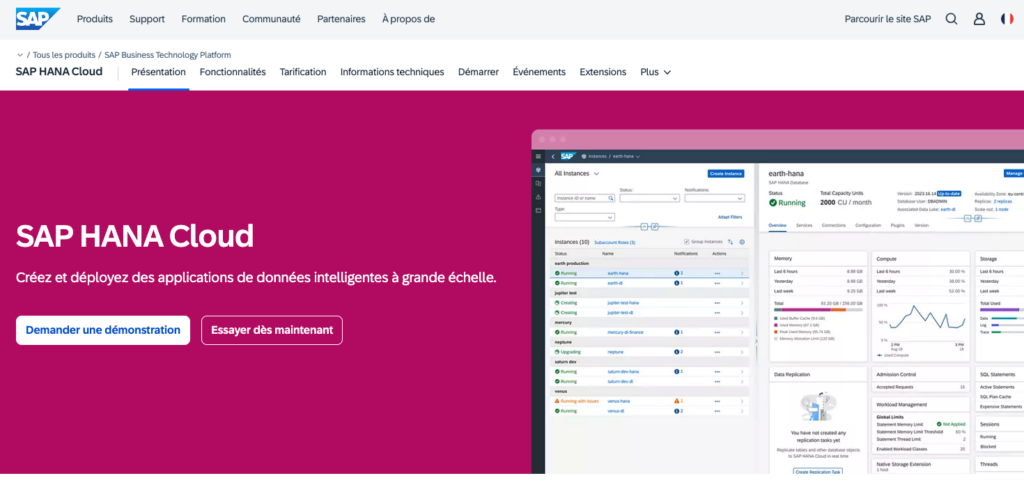
If you want to extract data stored in your applications, SAP HANA is your best choice. It can process SAP and non-SAP data and makes data backup easy.
With this tool, you can recover data from applications and other sources whether physical or in the cloud. It combines database functionalities, but also advanced analytics options, business information management and a well-stocked application server.
Some of the benefits of SAP HANA software include compression that reduces resource requirements, the ability to manage inventory and produce reports in real time. All of these functions run in RAM, within a single platform.
5. MongoDB

MongoDB is available in free and paid versions. This software can use both structured and unstructured data. Note that it is adaptable, flexible, fast, easy and simple to use, even for beginners. Moreover, it offers a complete set of sophisticated drivers.
With its flexible JSON document structure, MongoDB makes it possible to collect and analyze customer data in a more agile way. Imagine an online store that recommends products not only based on past purchases, but also taking into account interactions across multiple platforms, all in real time. This dynamic enrichment of customer profiles is possible thanks to the processing capabilities of MongoDB.
6. Microsoft SQL Server
A great classic in the world of database software, Microsoft SQL Serverit works on both local and cloud-based servers. Moreover, it can be configured on both types of servers simultaneously.
Available on Linux and Windows, its support for temporal data is one of the nicest features of its latest update. This makes it easier to track any data changes you may need to make.
Another nice feature: Microsoft SQL Server offers dynamic data protection, with single access for authorized people to sensitive data.
Also read: How much does ERP software cost?
7.Firebase
Firebase is a robust platform that helps automate back-end processes efficiently, thereby optimizing workflow for developers and marketers.
For example, using Firebase Cloud Functions, it is possible to automatically trigger push notifications when a user interacts with an application. Suppose a user adds a product to their cart without completing the purchase. Firebase can automatically send a reminder notification, boosting conversion rate without manual intervention.
Another use case is the integration of Firebase Authentication to manage user access. This service provides registration, login and session management without requiring complex server code.
Find an administrator for your database
Depending on your uses, a simple WP database management plugin may be enough. But handling the database of a site or application is always a critical task, so consider getting help.
If you want to set up a database for your business, call on a DBMS administrator on Codeur.com! Submit your project for free to find a database specialist.