How succeed in your Instagram photos as an entrepreneur? Focusing on the quality of your images posted on social networks is essential to generate more engagement and grow your community.
Framing, brightness, focus… Discover our 10 practical tips for creating quality Instagram photos, consistent with your feed.
#1 Choose the right Instagram photo format
To succeed with your Instagram photos, it is essential to choose the format best suited to your content. Instagram offers several options, each with its advantages:
- Square (1080×1080 px): ideal for a harmonious and balanced feed;
- Portrait (1080×1350 px): perfect for capturing attention in the news feed;
- Landscape (1080×566 px): suitable for landscapes or wide scenes.
For optimal rendering, respect the recommended dimensions and be sure to avoid loss of quality during upload by exporting your images in good resolution JPG or PNG.
#2 Apply the 1/3 rule
Your Instagram photo will be more impactful if your subject doesn't take up all the space. The rule of thirds consists of dividing the image into nine equal parts and placing the subject on one of the intersections, to create visual balance and guide the eye towards the main element. This technique works for all types of photos: lifestyle, food or product.
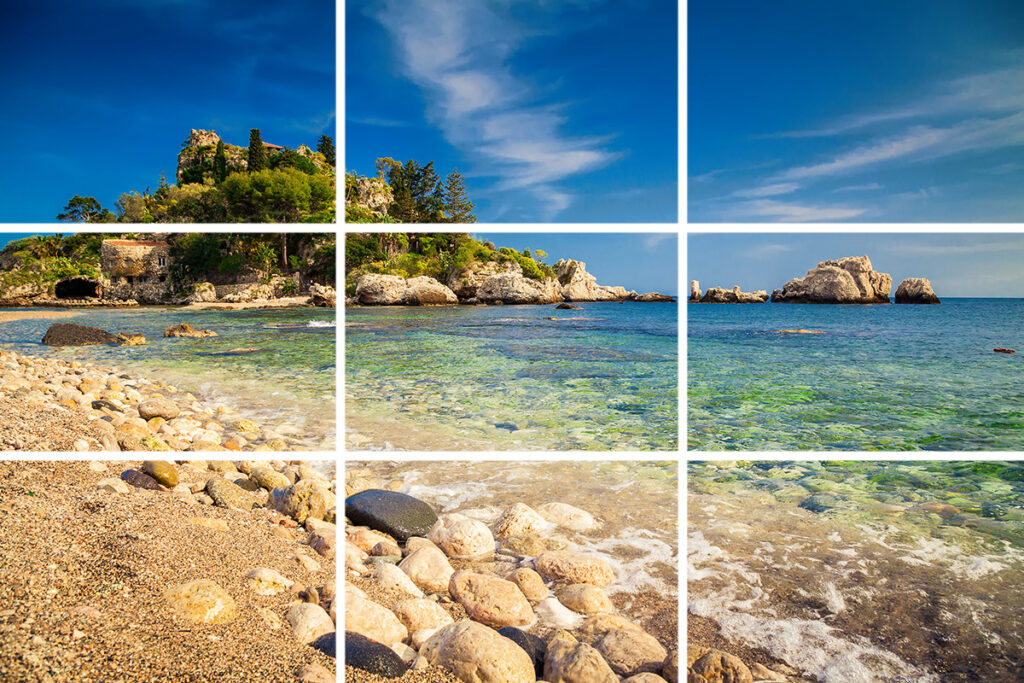 Most smartphones and SLRs have guide grids to facilitate framing. For a consistent and professional feed, you can also call on a freelance community manager specialized on Instagram to optimize your compositions.
To help you, call a freelance community manager specialized on Instagram
#3 Master natural light and filters
Light is an essential element for a successful Instagram photo. Too strong or poorly directed intensity can distort your subject and reduce the impact of your image. Favor soft light, typical of the morning or late afternoon, and avoid backlighting.
Using Instagram filters can complement natural light by softening contrasts or harmonizing colors. Used sparingly, they allow you to enhance your photos without altering their authenticity. Mastering Instagram photo lighting and judicious use of filters ensures more aesthetic and impactful images on your feed.
Read also: How to create an Instagram filter with Spark AR?
#4 Work on the focus
For a quality Instagram photo, it's important to have your central subject in good focus. You can use background blur as long as your main object is in focus. To focus from your smartphone, long-press the area you want to focus on before taking your photo.
In case you import images from your camera, make sure to focus on each of your shots as well. SLRs generally offer two main focusing modes:
- AF (Autofocus): the camera focuses automatically;
- MF (Manual Focus): Adjust the sharpness manually using the focus ring on the lens.
#5 Take care of the background of your Instagram photos
Even if your subject stands out well, a messy background can distract and reduce the impact of your Instagram photo. Choose a plain background or one consistent with your subject in order to reinforce the readability and harmony of the image.
To bring relief and give more depth to your photo, do not hesitate to play with the depth of field, slightly blurring the background while keeping your main subject sharp.
#6 Create visual consistency in your feed
If you want to optimize your Instagram photos in a professional setting, it is essential to create visual consistency on your feed. This uniformity helps strengthen your visual identity and remains more memorable to your audience.
For example, if you manage a business, you can rely on your graphic charter to harmonize your publications. Use your main color palette while introducing slight variations to avoid monotony and add dynamism to your feed.
An effective method is to assign a specific color from your charter to each type of publication. For example :
- Post with dominant green: advice, tutorials or practical tips;
- Post with dominant blue: customer testimonials, opinions or feedback.
#7 Optional: Use Instagram photo editing software
In case you want to post an Instagram photo, but you realize that it does not have well-optimized lighting, it is possible to edit it without compromising its quality and sharpness.
There are two options available to you: use the Instagram photo editing settings as mentioned above or use a free photo editing software which will allow you to correct brightness, contrast, saturation and even colorimetry in a precise and professional manner. Among the most effective tools, we can cite:
- Lightroom Mobile : ideal for adjusting colorimetry and creating personalized presets
- PhotoDiva : face photo editing software
- VSCO : practical for applying elegant filters and standardizing your posts
- Canvas : useful for quick edits
#8 Optimize your Instagram profile photo
Your Instagram profile photo is the first image your visitors see of your account, so it's essential that it immediately reflects who you are. To capture attention, choose a light background and good lighting so that your face or logo stands out clearly.
Tight framing of the face or logo increases recognition and makes your profile more professional. It is also important to test the readability of your photo on mobile, because the size displayed on smartphone screens is often very small. HAS As an indication, the Instagram profile photo format is 150×150 pixels or 110×110 pixels.
#9 Tell a story with caption and hashtags
A beautiful Instagram photo catches the eye, but it's a well-thought-out Instagram photo caption that captures attention and keeps your audience engaged. An effective caption should provide context to the image, tell a story or evoke emotion in your subscribers.
To optimize the impact of your publication, also think about Instagram photo hashtags. Adding between 5 and 8 relevant and targeted hashtags allows you to reach new audiences and improve the visibility of your post in searches and thematic feeds. However, be careful not to overload your publication with hashtags to maintain a natural and readable appearance.
#10 Instagram photo: the carousel trend
There was a time when a good Instagram post consisted only of a photo. Today, the trend is reversing with the Instagram carousel. Composed of several photos or videos, this type of publication allows you to tell a complete story and capture attention over several seconds. Very popular with creators and even brands, the carousel promotes engagement by encouraging users to scroll through the visuals to the end.
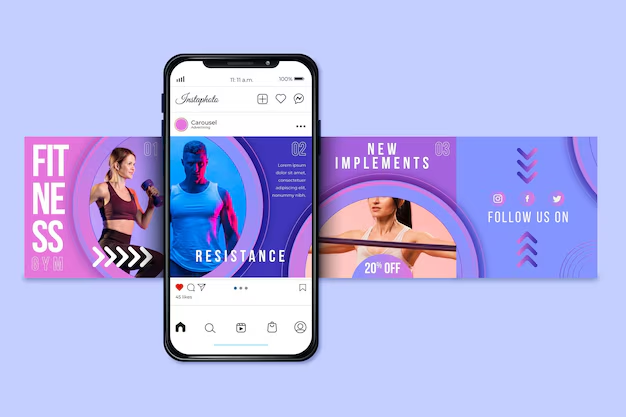
To be effective, an Instagram photo carousel must offer a coherent series, with an impactful first image and a fluid visual progression. More narrative than a simple cliché, this format offers better visibility and strengthens the link with the community.
To make your next Instagram carousel work, don't hesitate to tease your latest image to encourage your community to scroll through your post to the end. For example, write in your description or in your first photo “A surprise awaits you on the last” Or “The last photo must have made you laugh”.
Bonus: alternate between real and Instagram photo
To maximize your account's reach, it's no longer enough to just post Instagram photos. The algorithm now values varied content, and combining your visual posts with Instagram Reals allows you to reach a wider audience and increase your engagement. Unsurprisingly, Réels are one of the successful content formats on the social network. It offers a dynamic and narrative dimension that photography alone cannot always convey.
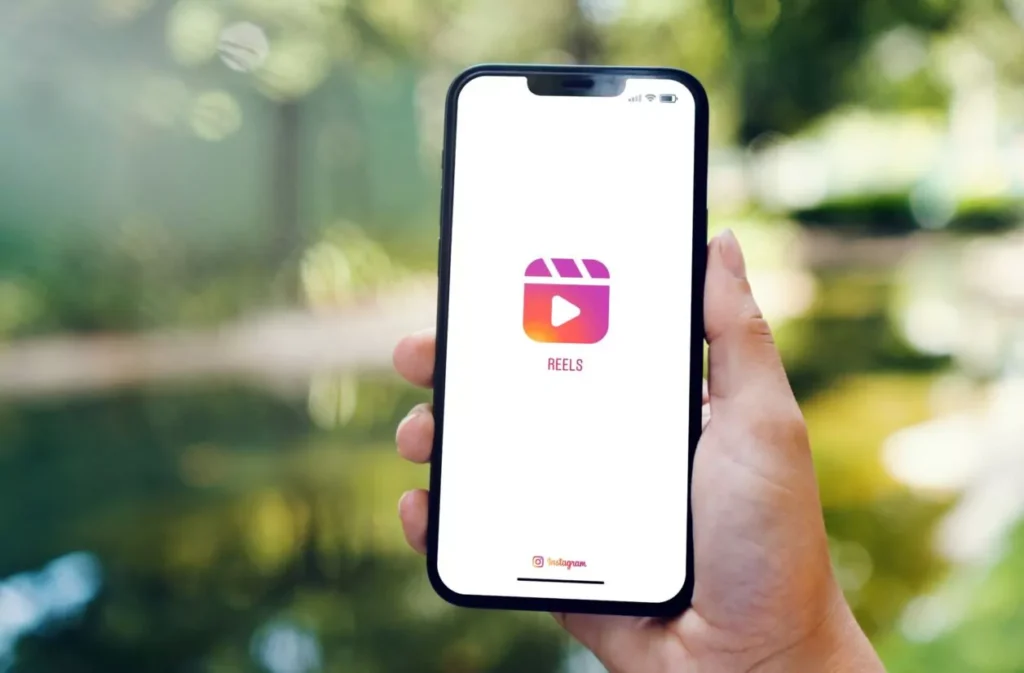
To learn how to create effective Reals and intelligently integrate them into your content strategy, consult our complete guide on how to use Instagram Reels. By alternating photos and short videos, you create a diverse and attractive feed that captivates your audience while optimizing your visibility.
If you would like support in publishing your Instagram photos and analyzing their impact, do not hesitate to call on a freelance social media manager right now.