
On paper, Moz Local and Yext do the same job: keep your business details right everywhere customers search. In practice, they’re built for very different buyers.
Moz Local is a listings tool for the US, UK and Canada that you can cancel any month. Yext reaches 200+ publishers in 216 countries, runs a full review program and wants a year-long commitment.
So the real question is how much reach, review help and flexibility your locations need. That’s what this Moz Local vs Yext comparison helps you work out.
We dig into what a sales demo won’t tell you: what each plan includes, whether review replies cost extra, which countries you can cover and how hard it is to leave.
By the end, you’ll have a clearer idea of how the two platforms differ and which one makes more sense for your business. And if neither feels like the right fit, we’ll also show you a third option, SocialPilot Reviews, so you can still make a confident decision.
How We Compared Moz Local and Yext
We ran the same checks on both tools. Where something couldn’t be confirmed from a vendor’s own pages, we flagged it instead of guessing.
Our Comparison Criteria
Mapped both platforms from their product pages, pricing pages and help-center articles, then checked each feature claim against recent G2 and Capterra reviews. Neither tool offers a free trial, so we didn’t run one.
- Went to each pricing page as a buyer would. Moz Local lists a price for every self-serve plan. Yext lists four PowerListings plans and quotes everything else.
- Priced both tools per location and checked what each plan includes, including which plan unlocks review replies.
- Read each vendor’s help center to confirm where a review reply actually posts, not just which sites each tool monitors.
- Read both vendors’ terms for contract length, auto-renewal, cancellation and refunds.
- Pulled G2 and Capterra ratings and read reviews for the praise and complaints that keep coming up.
Alongside Moz Local and Yext, we’ve added a third product to this comparison, SocialPilot Reviews.
It’s our own product. We build and sell it, and it competes directly with both, so keep that in mind as you read. We’ve included it as another option to weigh, mainly for teams that want review, listing and social media management in one place without signing an annual contract.
With the method and our stake in this out in the open, the quick summary below shows where each tool lands before you get into the detail.
Moz Local vs Yext Quick Summary
Where your locations are and how you want to pay will decide most of this. Moz Local is the better match for locations in the US, UK or Canada on a month-to-month bill, while Yext suits brands that need reach in more countries and can commit to a year.
The third column is SocialPilot Reviews, and the rows for Review Requests Over WhatsApp, Free Plan and Free Trial are where it differs from both.
Moz Local is the better choice when your locations are in the US, UK or Canada and keeping listings accurate is the main job. You pay from $20 a month per location, can stop at any time, and still get duplicate suppression, listing analytics and Google Business Profile posts.
The trade-off is a thinner review toolkit. It doesn’t run personalized review request campaigns, and replying to reviews starts on the $30 Preferred plan.
Yext is the better choice when you need wide reach and a full review program. It publishes to 200+ sites in 216 countries, runs email and SMS review campaigns with metrics, and offers phone and setup support.
What you give up is flexibility. Every plan runs a 12-month term, there’s no trial, and anything past the four PowerListings plans needs a quote.
To decide, start with where your locations are. If any sit outside those three countries, Moz Local can’t manage them.
That’s the short version of where each tool fits. To see whether the details back it up, start with Moz Local on its own: what it does, what it costs and where it falls short.
An Overview of Moz Local
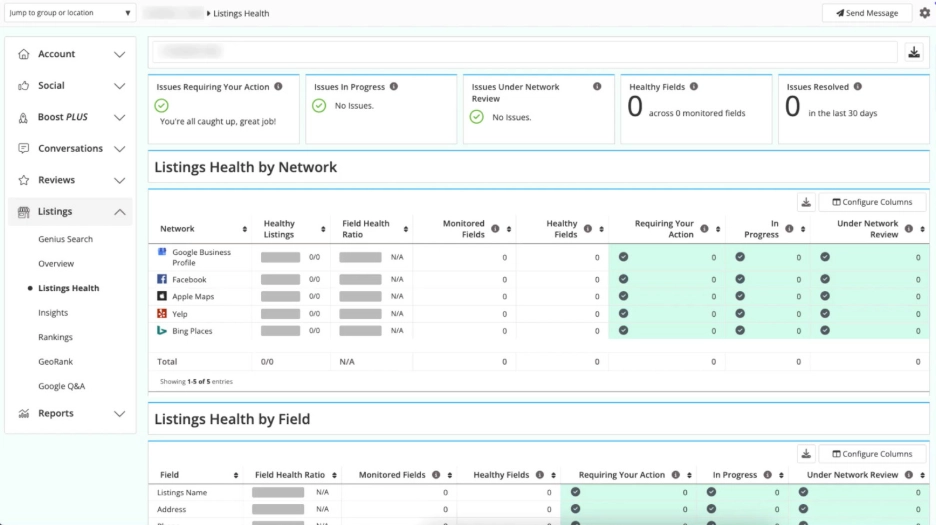
Moz, the SEO software company founded as SEOmoz in 2004 and now part of Ziff Davis, makes Moz Local, its listings tool.
It sends your name, address, phone and hours to 90+ directories and data aggregators, tracks how your locations rank in the map pack, and pulls your reviews into one dashboard. Moz Local’s pricing is based on the number of locations, with plans starting at $20 a month.
Key Features
- Listing distribution: Sends your business details to 90+ directories, apps and data aggregators, including Google Business Profile, Facebook, Apple Maps, Bing Places, Alexa and Waze.
- Review monitoring and replies: Collects reviews from 22 networks, including Google, Facebook, Trustpilot, Zillow and Yellow Pages, and posts replies directly to Google, Google Play and Facebook.
- Local Grid: Shows how a location ranks in the map pack across a grid of points around it, on every plan.
- Data Health: Scores each location’s listing accuracy and flags duplicate listings for suppression.
- Social posting: Publishes posts to Google and Facebook on Preferred, then adds Instagram, LinkedIn and TikTok on Elite.
Pros and Cons
| Pros | Cons |
| Bills monthly per location with no annual contract, starting at $20 a month | Manages listings only in the US, UK and Canada, so locations anywhere else aren’t covered |
| Publishes the price of every self-serve plan, so you can cost out your locations | Doesn’t run personalized email and SMS review request campaigns |
| Updates your details across 90+ directories, with duplicate suppression and an accuracy score per location | Leaves review replies out of the $20 Lite plan, so replying costs at least $30 a month per location |
| Posts review replies straight to Google and Facebook on Preferred and Elite | Offers support by email and contact form only, with no live chat or phone line |
| Tracks map-pack rankings with Local Grid on every plan, at no extra cost | Has no free trial, so you can only judge it from a scan and the demo |
You now know what Moz Local gives you for a monthly, per-location bill. Yext asks for a longer commitment, so its overview shows what that commitment buys.
An Overview of Yext
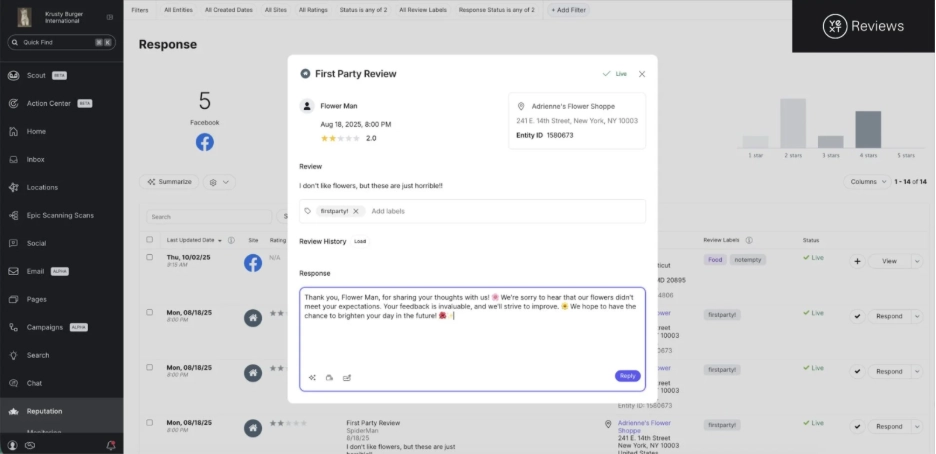
Yext built its business on keeping one structured record of your business data and pushing it to 200+ publishers, including Google, Apple, Facebook, Bing and Yelp. Around that record sit review monitoring and AI replies, review requests and social publishing.
Yext makes sense when your locations span several countries, change often, or need governance across many teams. You’ll need to be ready for annual billing. Yext publishes PowerListings plans from $199 a year and quotes the rest of its platform.
Key Features
- Publisher network: Pushes your business details from one record to 200+ publishers in 216 countries, including Google, Apple Maps, Facebook, Bing and Yelp.
- Review monitoring: Tracks reviews across 80+ platforms, including Google, Yelp and Facebook, plus industry sites such as Healthgrades, Booking.com and Tripadvisor.
- AI review responses: Drafts on-brand replies you edit and approve, and auto-responds by star rating or review type using rules you set.
- Review requests: Sends personalized email and SMS campaigns asking customers for reviews, with metrics for each channel.
- Listing control: Suppresses duplicate listings, syncs changes both ways and reports listing views, calls and directions.
Pros and Cons
| Pros | Cons |
| Publishes to 200+ sites in 216 countries, so locations outside North America and the UK are covered | Sells every plan on a 12-month term billed annually, with no monthly option |
| Runs personalized email and SMS review campaigns, with metrics for each channel | Includes review monitoring only in the $999/year Premium PowerListings plan |
| Monitors 80+ review sites, including industry sites like Healthgrades and Booking.com | Quotes the full platform, onboarding and services privately, so you can’t price it without a sales call |
| Offers phone support, setup support and premium support packages | Its master agreement makes purchased subscriptions non-cancellable and fees non-refundable |
| Shares reviews to social media and offers white label for social publishing | Has no live chat, and support runs on weekdays only |
We’ve covered what Moz Local and Yext offer, how much they cost, and where they fall short. Now, let’s compare their features side by side to see where each one stands out.
Moz Local vs. Yext Head-to-Head Feature Comparison
Moz Local and Yext offer the same listing features, from duplicate suppression to listing analytics. Where they differ is in how they collect reviews, how many directories and countries they reach, and how you pay.
In each section, we’ve also added a short note on how SocialPilot Reviews handles the same job, so you can see all three options in one place.
Review Management
Reviews decide whether a searcher picks you or the next result, which makes getting them as important as answering them.
Watching and answering reviews is what Moz Local is built for. It pulls reviews from 22 networks into one inbox, offers automated AI replies and templates, and tracks competitors. Replies post directly to Google, Google Play and Facebook.
What it lacks is the collecting side: no review collection, no personalized email and SMS campaigns, and no email or text campaign metrics to report on.
Yext ticks every row in this table. It runs personalized email and SMS campaigns, reports metrics for both channels, shares good reviews to social media and lets your team work on replies together.
The catch is price. On the self-serve plans, review monitoring only comes with the $999/year Premium plan.
And if you’re weighing SocialPilot Reviews too, it pulls reviews from Google, Facebook, Yelp, Tripadvisor, Trustpilot, Zillow, YellowPages and Influenster into one feed. Its AI drafts replies in 40+ languages, and you post them to Google and Facebook straight from the dashboard.
Listing Management
Wrong hours or an old address on one directory can send a customer to a closed door, so reach and accuracy both matter here.
Moz Local matches Yext on every listing feature, from duplicate suppression to performance analytics. Where it falls behind is reach: 90+ directories in three countries. Moz also says to allow about four weeks for a new location’s data to process and two to three weeks for updates, so plan changes like a move ahead of time.
Scale is where Yext pulls ahead. It reaches 200+ directories in 216 countries, which makes it the only one of the two that can serve locations outside the US, UK and Canada.
The entry-level Emerging plan only covers smaller sites, though. To reach Google, Apple, Facebook, Bing and Yelp, you need Essential at $449/year.
SocialPilot Reviews publishes your listings to 120+ directories in 190+ countries and syncs Google Business Profile, Facebook, Apple Maps, Bing Places and Yelp. Change your hours once and auto-sync pushes the change to every connected listing, with a health score per location to flag problems.
Customer Support
When a listing goes wrong the week before a busy period, how fast you can reach someone matters more than the feature list.
Moz Local handles support by email and contact form. There’s no phone line, no premium package. A dedicated account manager comes only with the Enterprise plan for 50+ locations.
You get more ways to reach Yext: email support, setup help, an account manager and premium support packages. Support runs on weekdays only, though, so a listing problem that turns up on a Saturday waits until Monday.
SocialPilot Reviews’ support runs 24/7 by live chat, email and phone, with setup help and a dedicated account manager. Live chat is something neither Moz Local nor Yext offers. If you’d rather type a question and get an answer while you’re still in the dashboard, that’s where it differs.
If you already post for each location, having social publishing in the same tool saves you a second login.
All three tools schedule posts, publish across locations, and include an AI assistant, analytics, a social inbox and collaboration. None of those is an edge for anyone.
On Moz Local, the networks you get depend on your plan. Preferred posts to Google and Facebook, and Elite adds Instagram, LinkedIn and TikTok for five in all, plus Facebook ad boosting. So the full social toolkit costs $40 a month per location.
With Yext you get six networks plus white label, and the white label matters if you’re an agency posting for clients under your own brand.
In SocialPilot Reviews, social media management comes from SocialPilot’s social media management platform, a separate subscription from Reviews. Where it stands apart is reach: 10+ social networks, against five for Moz Local and six for Yext.
Pricing Comparison
You’ll pay per location with both rivals, so the price you see is only the start of the math.

Moz Local |

Yext |
SocialPilot Reviews |
|---|---|---|
|
Lite $20/month, or $199/year |
PowerListings Emerging $199/year |
Starter Free |
|
Preferred $30/month, or $299/year |
PowerListings Essential $449/year |
Pro $30/month ($25.50/month billed annually) |
|
Elite $40/month, or $399/year |
PowerListings Complete $499/year |
Enterprise Custom quote |
|
Enterprise Custom quote |
PowerListings Premium $999/year |
– |
| – |
Yext platform Custom quote |
– |
| Not available | Not available |
14 day free trial No credit card required |
| No extra setup fee | Platform onboarding and services quoted separately | No extra setup fee |
|
Visit Website |
Visit Website |
Start free Trial |

Moz Local starts at $20 a month per location on Lite, and review replies begin on Preferred at $30. Yearly billing brings each plan down by about 20%. You won’t pay a setup fee, and you won’t get a free trial.
Yext’s pricing run from $199 to $999 a year, and review monitoring sits in the $999 Premium plan. The wider Yext platform is quote-only, with onboarding and services priced separately, and there’s no free trial.
SocialPilot Reviews has a free Starter plan for one location. Pro costs $30/mo, or $25.50/mo billed annually, and covers three locations, plus $10 a month for each extra location. It bills monthly with no annual contract, and there’s no setup fee. You can try Pro free for 14 days without a credit card.
Moz Local vs. Yext: Billing, Contracts and Add-Ons
The sticker price tells you what a year costs. The terms tell you what it costs to leave.
| Aspect | Moz Local | Yext |
| Billing & Contract Terms |
|
|
| Add-ons & Usage Charges |
|
• Platform add-ons (concierge, managed review response, custom training, Operate services) quoted separately |
Moz Local bills each location monthly or yearly, and every location auto-renews by default. You can turn off renewal or cancel at any time from your account. Moz sends a reminder about seven days before renewal, and you need to cancel at least 72 hours before the billing period ends to avoid the charge.
For Yext, every PowerListings plan runs for 12 months, is billed annually and auto-renews. The full platform also bills annually, with better rates for multi-year terms. Under Yext’s master subscription agreement, purchased subscriptions can’t be canceled and fees are non-refundable.
For SocialPilot Reviews, you can pay monthly with no annual contract, or pay annually and save 15%, so a year-long commitment is your choice. Add-ons are listed up front: extra locations cost $10 per location a month and extra email credits $10 per 1,000.
With either tool, put your renewal date in your calendar the day you sign.
By now you can line up what each tool does, what it costs and what it takes to leave. How it holds up day to day is the last check, and Moz Local’s customers go first.
Moz Local Reviews & Ratings: What Real Customers Say
As per Moz Local’s G2 profile, the platform holds 4.2 out of 5 from 476 reviews, and on Capterra it is rated 4.4 out of 5 from 33 reviews. Here’s what recent reviewers praise, and where they push back.
1. Common Praise
1.1 Update Once and Your Listings Follow
Users like that they can change a detail once, such as an address after a move, and Moz Local updates their existing listings across directories without them editing each one.
We’ve set up the dashboard and indicated that we changed addresses in the listings update tool. Moz Local saved us a lot of time by auto-updating all of our old listings quickly.
1.2 Hours Saved on Manual Listing Work
Time comes up as the big win, since the tool replaces the slow job of fixing business listings site by site.
I love how much time I save by using this instead of trying to work on these business listings manually!
1.3 A Simple Way to Keep Details Consistent
Keeping a business’s name, address and phone number matching across citations feels easy, even to users without deep SEO experience.
I enter a client’s business details once, and Moz Local distributes them to the data aggregators and directories we care about, keeping name, address and phone (NAP) identical everywhere.
2. Common Complaints
2.1 Updates That Take Weeks or Never Land
Some users say directory updates can drag on for a long time, and that a few never go through at all.
Although installation is easy, it may take some time to get started. This is because some of the network updates may take literally forever before completion, and some never get updated at all.
2.2 A Recurring Fee for What Feels Like One-Time Work
The subscription itself bothers some users, who see listings as a one-off submission they shouldn’t pay for every year.
It’s a subscription model. Not sure why there is an annual charge for a one-time directory submission? Alternative options have a one-off charge.
2.3 Limited Outside the US, UK and Canada
Outside the US, UK and Canada, users with clients or locations find the tool far less useful.
As I said it works best for business listings in US, UK and Canada. Outside of these countries, not so much.
Moz Local’s users have had their say. Yext’s reviewers come next, so you can read the two sets side by side.
Yext Reviews & Ratings: What Real Customers Say
Reviewers rate Yext a little higher on G2 than on Capterra. Yext’s G2 profile records a 4.4 rating from 1,124 reviews, and its Capterra profile records 4.2 stars across 114 reviews. These themes come from recent reviews:
1. Common Praise
1.1 Every Review in One Dashboard
Users like seeing reviews from every platform and every location side by side, instead of checking each site in its own tab.
I really value having every review in one dashboard on Yext. It used to be tedious opening multiple tabs to check customer feedback across different platforms and branches, but now everything is neatly side by side, making it quicker and easier to assess performance and areas needing attention.
1.2 Easy to Use, With Regular Updates
The platform comes across as straightforward, and users like the regular emails that keep them on top of new activity.
Verified User in Health, Wellness and Fitness
It’s easy to use, and I appreciate the daily emails, updates, and regular notifications.
1.3 Wide Directory Reach
Reach is a big draw, with users valuing how many directories Yext can push their information to, compared with other listing tools they’ve tried.
The ability to get information across directories. Yext seems to reach more directories than other companies in this industry.
2. Common Complaints
2.1 Contracts That Are Hard to Leave
Some users report trouble ending their contract and being billed after they expected the service to stop.
Poor support, refusal to end contracts, billing my credit card after contracts have ended (after emailing me and promising I wouldn’t be charged). One of the least professional companies I’ve ever seen.
2.2 Costs That Climb
Price is the sore point for some users, who find it steep for what they need and feel some features are missing for the money.
2.3 Some Edits Are Quicker in Google Directly
A few tasks, like editing services or managing photos, are faster to do in Google Business Profile than in Yext, some users say.
A few functions are limited, if you have GMB access, there are a few things that it’s easier to just use GMB then Yext, like editing services, maybe adding/deleting photos quicker, etc
Now that you’ve heard from both tools’ customers, the next section turns everything into a straight choice. If a complaint here already rules out Moz Local or Yext, the alternatives section further down lists other tools to look at.
Moz Local or Yext: Which Should You Choose?
Start with one question: are all your locations in the US, UK or Canada, and will they stay there?
If yes, both tools are on the table, and the choice comes down to how you want to pay and how much of your review program you want the tool to run. If not, Yext is the one that can cover them.
Choose Moz Local If…
- All your locations are in the US, UK or Canada, and you don’t plan to expand beyond them.
- You want to pay month to month and keep the option to stop when you like.
- Accurate listings are the main job, and you’re happy to answer reviews without running review request campaigns.
- You’d rather see every price on the page than sit through a sales call.
Choose Yext If…
- You have locations in several countries, or plan to.
- You want one platform to collect reviews by email and SMS, answer them and report on both.
- You need phone support, setup help and an account manager, and can pay for a premium support tier.
- You can commit to annual billing, and a multi-year deal makes sense for you.
If one of those lists reads like your situation, you have your answer. If neither quite does, the next section shows where our own tool fits.
Moz Local only covers the US, UK and Canada and doesn’t run review request campaigns, while Yext locks you into a 12-month term. That’s the gap SocialPilot Reviews fills.
Moz Local and Yext both cover listings, reviews and social media. The difference is how you buy it. Moz Local splits review replies and social networks across its plans, and Yext puts most of its platform behind a quote and a 12-month term.
SocialPilot Reviews starts free on the Starter plan, and Pro costs $30/mo, or $25.50/mo billed annually, for three locations. You can collect reviews by email, SMS and WhatsApp, reply with AI in 40+ languages, and publish listings to 120+ directories in 190+ countries from the same dashboard.
If you’re an agency, the Enterprise plan puts your client’s brand on review invite emails and landing pages.
I like consolidating our social and reviews down to one platform. Their support team was incredible about onboarding and accommodating specific feature requests – super quick to respond, pleasant and flexible. It’s also priced super fairly.
| Aspect | Moz Local | Yext | SocialPilot Reviews |
| Free Plan | ✗ | ✗ | ✓ |
| Free Trial | Not available | Not available | 14 days, no credit card |
| Starting Price | $20/month per location | $199/year per location | Free, then $30/month ($25.50/month billed annually) |
| For 5 Locations | $150/month on Preferred, the first plan with review replies ($1,495/year billed yearly) | $4,995/year on PowerListings Premium, the plan with review monitoring | $50/month on Pro (3 locations included, plus $10 for each extra location) |
| Billing and Contract | Monthly or yearly, auto-renews | 12-month term, auto-renews | Monthly, no annual contract |
| Setup Fees | None | Platform onboarding and services quoted separately | None |
Those costs put all three tools side by side for the same five locations. For a wider view of the market, a few other platforms are worth a look before you decide.
Moz Local and Yext Alternatives Worth Knowing About
These platforms come up in the same buying conversations, each built around a different need.
- BrightLocal is a local SEO suite for agencies and marketers, pairing listings with rank tracking and Google Business Profile audits, and it publishes prices banded by location count. See how it compares with Moz Local in our Moz Local vs. BrightLocal comparison.
- Synup suits agencies that want white-label listings, reviews and social media in one platform, and it publishes monthly plans.
- Whitespark sells its local SEO tools one product at a time, from citation building to Google Business Profile management and reviews, with one-time listing packages alongside monthly plans.
- Birdeye puts reviews, customer messaging, surveys, webchat and listings behind one login for multi-location brands, and it prices by quote only. Our Birdeye vs. Yext comparison explores how its offering stacks up against Yext.
- Reputation.com is an enterprise reputation platform that gives each location its own Reputation Score, and it publishes per-location prices.
For a deeper look at more options, see our roundups of Moz Local alternatives and Yext alternatives.
Final Thoughts: Choosing Between Moz Local and Yext
Side by side, Moz Local and Yext solve the same problem for very different buyers.
Moz Local keeps your listings accurate in the US, UK and Canada on a bill you can stop any month, while Yext gives up that flexibility for reach across 216 countries and a full review program on annual terms.
That leaves the Yext vs Moz Local decision resting on two questions only you can answer: where your locations are, and how long you’re ready to commit. Answer those and read the renewal terms before you sign. And if what you really want is reviews and listings together on a monthly plan, SocialPilot Reviews’ pricing plans start free, and every price is on the page before you talk to anyone.
Whichever way you lean, start with the problem that costs you the most today, put the full-year price next to it, and the right choice becomes much clearer.